

Published: Updated: Paul Breitenbach 10 min read

If you run IT for a small to mid-sized business, the "to-do" list has become a runaway train. You are juggling a three-year-old project backlog, a server room that needs better cooling, and a CEO who wants to know why the Wi-Fi is slow, all while low-key worrying about the ransomware attack you read about on Reddit this morning.
The pressure to modernize isn't just coming from the C-suite; it’s coming from the infrastructure itself. On-premise servers are a ticking clock for maintenance and vulnerability. You spend 80% of your week on "keep the lights on" (KTLO) tasks and troubleshooting hardware that should have been retired in 2021.
Reduce IT Backlog: From Maintenance Mode to Momentum
A Practical Path to Predictable IT Spend
Build Baseline Security Controls Without Building a 24/7 SOC
Tech Debt Is Eating 40% of IT Estate
Disaster Recovery That Auditors (and Leaders) Can Trust
Scaling IT Without Hiring: Provision in Minutes, Not Months
Put Your Cloud Migration Roadmap in Motion
Cloud Data Governance Is the Foundation for Secure AI and Automation
Co-Managed Cloud Services Are an IT Director’s Lifeline
Cloud Migration FAQ for IT Directors of Growing Businesses
For small to mid-sized businesses, the cloud is the only way to clear the backlog and reclaim the time needed to drive business value. Here are the reasons why your peers are moving workloads to the cloud, and why it’s the best way to free up bandwidth.
Reduce IT Backlog: From Maintenance Mode to Momentum
If your team spends most of their time on "janitorial" tasks like patching firmware, swapping hard drives, and managing server coPut Your Cloud Migration Roadmap in Motionoling, they are only spending a small percentage of time on projects that grow the company.
Time Is the Real Constraint, Not Talent
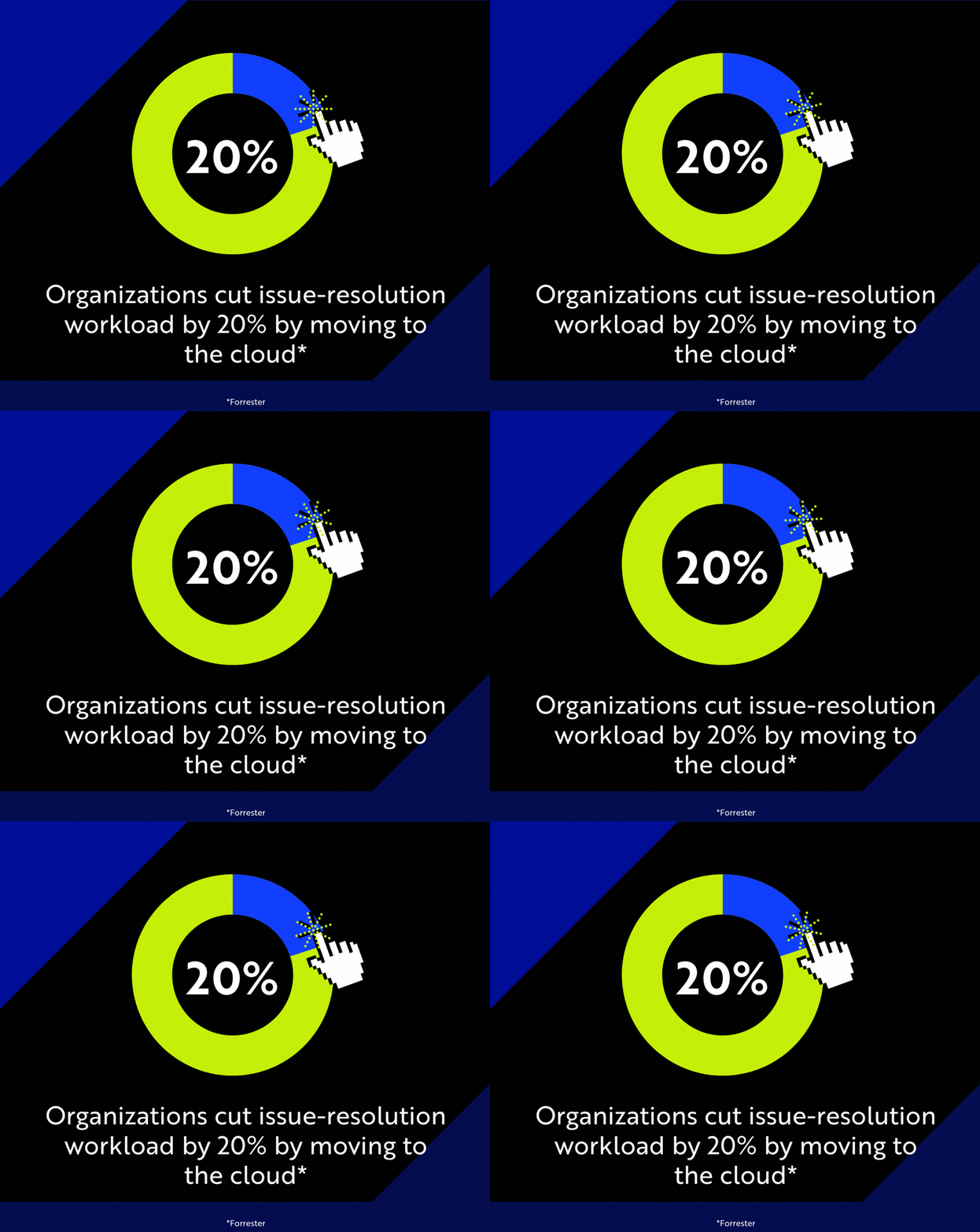
In small business and mid-market IT, the cloud changes this operating model, offloading the heavy lifting of infrastructure management and giving time back to teams. In a Forrester study, organizations cut issue-resolution workload by 20%, freeing IT capacity to move more projects out of the backlog and into production.
The IT Director’s POV: Today, IT is responsible for modernization, enabling hybrid work, supporting compliance, and reducing security risk, regardless of headcount. However, moving to the cloud can feel risky when downtime and security gaps aren’t an option, but a practical migration plan makes it manageable. Once the platform is modernized, teams spend less time in maintenance mode and more time clearing the project backlog that moves the business forward.
A Practical Path to Predictable IT Spend
A common fear is trading CapEx pain for surprise OpEx bills. That fear is also valid, especially if cloud gets deployed without guardrails and governance.
A lot of small business leaders want predictable IT spend. It is achievable, but the trick is to treat cloud spend like any other operational budget by:
- Standardizing environments
- Right-sizing resources
- Setting alerts and guardrails
- Reviewing usage regularly
- Optimizing licensing and commitments where it makes sense
- Apps no one wants to touch
- Manual processes that only one person understands
- Temporary workarounds that became permanent
- Systems that can’t be updated without breaking something
The 40% Savings Play with Cloud Cost Optimization
Cloud cost control isn’t magic; it’s ownership and discipline. FinOps makes that possible by putting structure around cloud spend through budgeting, accountability, and continuous optimization.
Deloitte predicts that companies implementing FinOps tools and practices may cut cloud costs by as much as 40%.
The IT Director’s POV: Cloud cost overruns are usually a governance problem. When no one owns tagging, budgets, and usage reviews, IT spend spirals, and your team takes the blame. With the right guardrails, IT can make spending transparent, tie costs to business outcomes, and identify optimizations without sacrificing performance.
Build Baseline Security Controls Without Building a 24/7 SOC
If you rely on a firewall and an antivirus agent, you are outgunned. The threats hitting small businesses today are automated, persistent, and sophisticated, and legacy infrastructure can’t keep up.
The risk isn’t just about a cyber breach that costs millions. It’s failing an audit, missing a required control, or realizing too late that the logs you needed were never captured.
By leveraging cloud governance and compliance, you can standardize the basic security controls that auditors and insurers care about (identity, access, logging, retention, and continuous monitoring) without building a 24/7 SOC from scratch.
Cloud Security for Small Businesses: Fewer Alerts, Faster Response
Cloud also cuts through the noise. Instead of drowning in low-level alerts, modern platforms correlate signals across identity, endpoints, email, and cloud activity to surface the incidents that actually matter. For example, a Forrester TEI Report showed an 80% reduction in incident response effort with Microsoft Defender, freeing security staff to focus on higher-value work instead of endless triage.
The IT Director's POV:
Security and compliance are two of the biggest reasons IT Directors hesitate to migrate to the cloud. That hesitation is fair. However, when security is built into how users, devices, and applications operate, the cloud can raise baseline controls and make them easier to enforce. It won’t fix unclear ownership or missing processes, but it will make good practices more consistent and more visible while helping your organization stay audit-ready.
Tech Debt Is Eating 40% of IT Estate
Tech debt isn’t just old servers. It’s old patterns in the form of:
Left unchecked, every quick fix turns into another dependency. McKinsey & Company reports that CIOs estimate tech debt amounts to 20% to 40% of the value of their technology estate.
Evergreen Platform > Endless Reworks
For a small business IT Director, this means that every year you delay modernization, the backlog gets bigger and bandwidth gets smaller Cloud offers a safer way to modernize in layers (identity, endpoints, collaboration, data, apps) without forcing a risky, all-at-once cutover.
The IT Director’s POV: Tech debt makes everything harder than it should be. Cloud helps reverse that pattern by supporting an evergreen operating model with more standardization, more automation, and fewer brittle systems that block updates and keep your backlog stuck.
Disaster Recovery That Auditors (and Leaders) Can Trust
Testing disaster recovery in a physical environment is a massive hassle, which is why most small businesses rarely do it. You have the binder on the shelf labeled "Disaster Recovery Plan," but if the building floods, RTO (recovery time objective) will be measured in days, not hours.
Improve Business Continuity with Cloud DRaaS
Cloud-native DRaaS (Disaster Recovery as a Service) sets a new standard. It lets you replicate critical VMs to a separate geographic region with far less friction, so business continuity isn’t dependent on one building, event, or piece of hardware.
Automated backups, geographic redundancy, and faster recovery options can dramatically reduce downtime and data loss, especially for growing organizations that don’t have the resources to build and test a full disaster recovery program on their own.
The IT Director’s POV:
In the cloud, failover testing becomes routine. You can run non-disruptive tests, document results, and prove to auditors (and leadership) that you measure RPO (recovery point objective) in minutes, not guesswork.
Scaling IT Without Hiring: Provision in Minutes, Not Months
In the on-prem world, being agile usually comes with a catch. If the business lands a big new client and needs a dedicated environment, you are looking at a 4-to-6-week lead time for hardware delivery, plus setup time.
The cloud changes the physics of provisioning. You can spin up a Windows instance, configure the vNETs, and lock down the NSGs (network security groups) before your morning coffee gets cold.
When IT Stops Being a Bottleneck
The bigger win is scale without hiring. Not having to wait on infrastructure means the same team can support more projects, more users, and more growth without adding headcount.
The IT Director’s POV:
When teams need a sandbox, a test environment, or capacity for a new client, you can deliver in minutes, not days. The business can move faster without needing to add more headcount.
Improve Remote Work Productivity with Cloud Collaboration Tools
When collaboration runs on email threads, VPN workarounds, and “final_v7” attachments, work slows down everywhere for everyone. People waste time hunting for the right file, waiting on approvals, and redoing work because the system of record is unclear.
Not to mention, if your VPN is clunky or your file server is slow to access remotely, your users will find workarounds via their personal Dropbox or Google Drive. This is a compliance nightmare waiting to happen.
Avoid a Compliance Nightmare and Keep Work Moving
Cloud-based collaboration flips the model. With Microsoft 365 or Google Workspace, teams can co-edit in real time, share securely with links (not attachments), and collaborate across locations and time zones. With consistent tools and permissions, remote teams spend less time troubleshooting collaboration and more time actually getting work done.
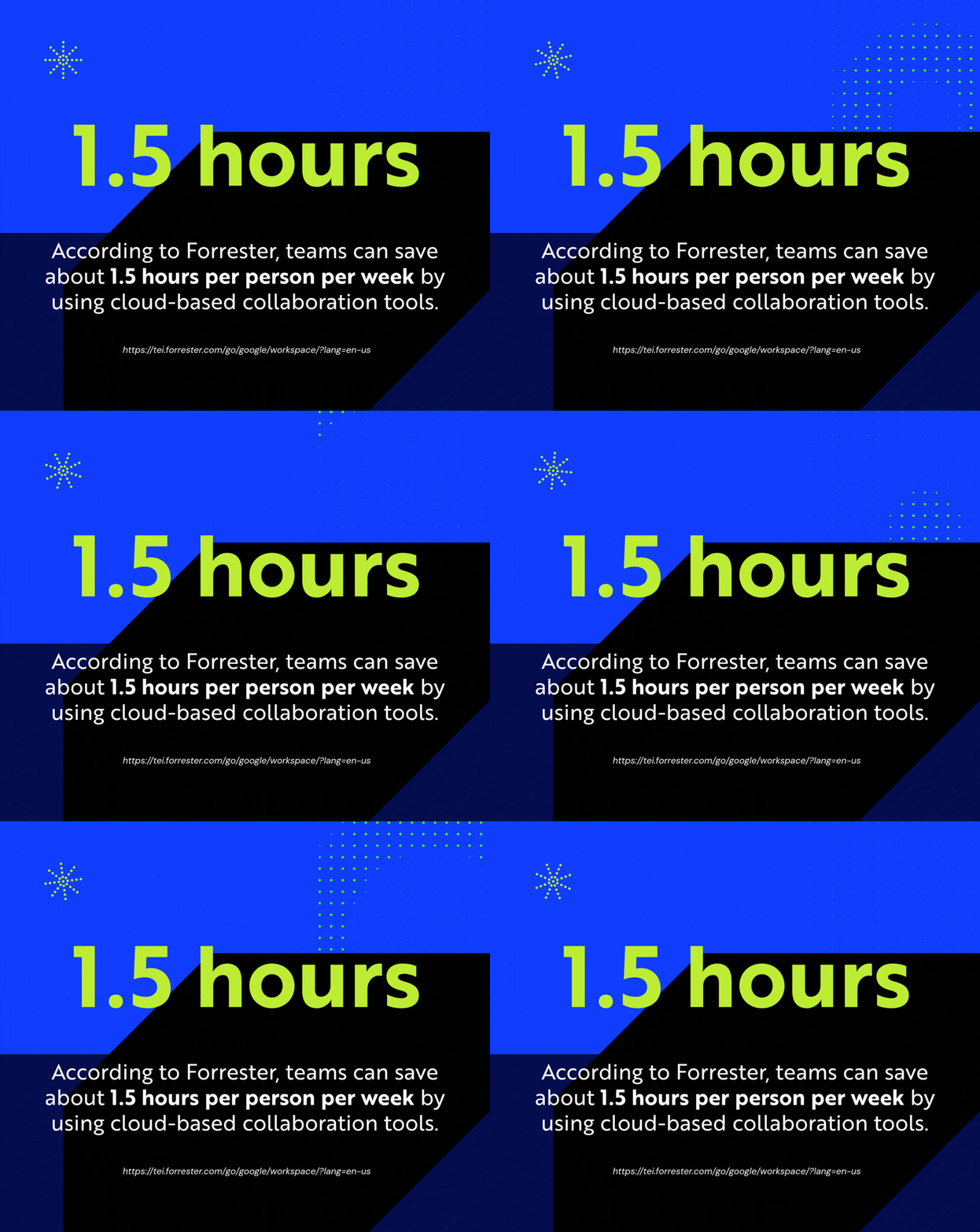
And the time savings add up fast. According to Forrester, teams can save about 1.5 hours per person per week by using cloud-based collaboration tools.
The IT Director’s POV:
Cloud makes collaboration easier to govern through centralized identity, controlled sharing, and better visibility. Teams stay productive without turning IT into the help desk for every file and permission.
Cloud Data Governance Is the Foundation for Secure AI and Automation
If they haven’t already, your leadership team will ask how your organization uses AI. If your data is sitting on a file server in the closet or spread across shared drives with inconsistent permissions, you have no answer. On-prem data is dark data that is hard to search, hard to govern and impossible to use safely at scale.
Lead the AI Conversation at Your Organization
The cloud is the prerequisite for AI enablement because it makes data usable and governable. Centralized storage, consistent identity controls, and clear retention policies create a source of truth. This allows AI and automation workflows to run against the right data, securely and with guardrails.
The IT Director’s POV:
IT Directors hesitate here for good reasons. Moving data feels risky, and there’s also the concern that AI becomes another mandate without resources or control. A structured cloud foundation lets IT lead with confidence through tighter governance, better visibility, and safer enablement.
Co-Managed Cloud Services Are an IT Director’s Lifeline
The biggest myth in our industry is that moving to the cloud means the internal IT team gets fired. The reality is the opposite. Moving to the cloud often requires more specialized skills than you have in-house. This is where co-managed cloud services shine, helping small IT teams with:
- Specialized skills on demand: Cloud architecture, security hardening, identity design, migration sequencing, and cost governance aren’t “set and forget” tasks. They require depth and pattern recognition. A co-managed partner brings that expertise without requiring you to hire for every niche.
- 24/7 coverage without 24/7 staffing: Threats and outages don’t wait for business hours. But staffing a full SOC or always-on ops team is unrealistic for most small businesses. Co-managed support fills that gap with monitoring, alert triage, and escalation processes.
- More capacity to execute your IT backlog: A strategic partner can help move projects forward without stopping day-to-day support. That keeps modernization from becoming a constant tradeoff against tickets.
You may also find you need more support and decide to move from a co-managed model to fully managed IT services. It’s not about replacing but rather helping you move from being a jack of all trades to focusing on high-value projects.
Put Your Cloud Migration Roadmap in Motion
IT Directors at growing businesses need leverage against a project backlog that never shrinks, security requirements that keep changing, and a team stuck in maintenance mode.
Cloud delivers that leverage. It gives lean teams more capacity, more resiliency, and a cleaner foundation to modernize without a massive overhaul or handing over the keys to the kingdom.
CompassMSP supports small and mid-sized businesses through cloud migrations and ongoing operations with a practical approach to cloud: roadmap first, guardrails early, and optimization as a continuous process. We handle the heavy lifting while you keep as much control as you want over your environment.
If cloud is on your bingo card this year, reach out to our team to learn how we can help you put those plans in motion.

Paul Breitenbach
With nearly 20 years of experience designing enterprise-grade IT solutions, Paul specializes in supporting organizations that cannot afford downtime. Before becoming our CIO, he served as CIO of WorldwideIT, a Compass company, where he led large-scale infrastructure, cloud, and security initiatives for highly regulated industries.