

Published: Updated: Thai Pham 17 min read


How To Spend $500 Million On AI In 30 Days
What a reported $500 million AI bill teaches business leaders about governance, usage limits, shadow AI, and cost control.
A company can make plenty of expensive technology decisions in the name of progress. It can overbuy software. It can renew licenses nobody uses. It can approve a digital transformation initiative that produces six dashboards, three steering committees, and no measurable transformation.
Then there is the nuclear option: spending a reported $500 million on Claude AI in one month because nobody set proper usage limits.
According to Axios, later covered by Tom's Hardware, a mystery company allegedly gave employees Claude AI licenses and failed to put usage caps in place. Automated usage ran up a bill so large it sounds less like a software expense and more like a sovereign debt event.
The same Axios report notes that Microsoft and Uber have both pulled back or questioned Claude usage after AI costs became harder to justify. That detail matters because the story is bigger than one mystery company. It points to a broader enterprise problem: AI usage can scale faster than governance, cost controls, and business value measurement.
The easy reaction is panic. The productive response is to uncover which process led to this. AI tools can help employees work faster, summarize information, draft content, analyze data, automate routine tasks, and reduce time spent on work that feels suspiciously like punishment. AI also changes how cost, risk, access, and data move through a company. A chatbot used by one employee has one risk profile. An AI agent connected to company systems, files, workflows, and APIs has another. Add no budget caps, unclear data rules, and limited monitoring, and finance only sees the issue once the invoice becomes an executive problem.
This is where modern AI governance matters. AI governance defines which tools are approved, what data can be used, who owns access, how usage gets monitored, what costs are acceptable, when human review is required, and how incidents get handled. It creates a paved path for safe, fast AI adoption.
AI Has Already Entered The Business
AI adoption has moved beyond curiosity. McKinsey's 2025 State of AI survey found that 88% of organizations now use AI in at least one business function, up from 78% the prior year. The same research found that nearly two-thirds of respondents say their organizations have not yet begun scaling AI across the enterprise, and only about one-third have started scaling AI programs.
.png?width=940&height=788&name=mckinsey-organizations-ai-business-function%20(1).png)
That gap matters. Employees are already using AI. Departments are already testing tools. Vendors are already adding AI features to platforms that companies use every day. The average business may not have a mature AI strategy, but it probably has AI activity scattered across marketing, operations, finance, IT, HR, sales, support, and leadership.
McKinsey also found that 62% of respondents say their organizations are at least experimenting with AI agents. Agents raise the stakes because they can plan and execute steps in a workflow, not just generate text in a chat window.
of organizations use AI in at least one business function.
of organizations are experimenting with AI agents.
of organizations with AI-related breaches lacked proper AI access controls.
That is the line many companies cross without realizing it. A chatbot answers. An agent acts. Once AI begins acting across systems, the control model needs to grow up. A company can survive casual experimentation with uneven policy for a while. It should not operate production AI workflows on hope, enthusiasm, and the default admin settings.
Why AI Costs Can Run Away So Quickly
Traditional SaaS spend is usually predictable. A company buys seats, assigns users, and pays a monthly fee. The bill can still get ugly if nobody cleans up inactive accounts, but at least the cost model has walls.
Generative AI adds usage-based economics. Many AI tools charge by tokens, API calls, model type, output volume, context window size, retrieval, storage, or agent activity. Every prompt, file, response, workflow, and automated action can create cost.
CompassMSP's AI concepts guidance explains this plainly: inference cost is the operating-cost line because it scales with usage. More input and output means more tokens, and more tokens mean a higher cost.
That becomes dangerous when automation enters the picture. A person may ask an AI tool ten questions. A workflow may ask ten thousand. A poorly configured integration may keep calling an API because a script loops, a trigger misfires, or an agent keeps reprocessing the same files. The individual cost of each action may look small. At scale, small becomes absurd with impressive speed.
AI also encourages bigger requests. Users upload long documents. Teams ask for multi-step analysis. Agents retrieve context from multiple systems. Developers use larger models for work that a smaller model could handle. Teams start summarizing summaries, reprocessing documents, and running the same prompts again because nobody defined what done looks like.
Cost control must be designed into the AI program from the start. That means budget caps, rate limits, usage alerts, API ownership, model selection rules, workflow review, seat audits, and clear approval paths for high-volume use cases.
No one should discover enterprise AI usage through a surprise invoice. That is forensic accounting with better branding.
The Bigger Risk Behind The Invoice
The reported Claude bill is extreme, but the underlying pattern is common: companies adopt AI faster than they govern AI. IBM's 2025 Cost of a Data Breach research highlights this risk from a security perspective. IBM reported that 13% of organizations experienced breaches involving AI models or applications, and 97% of those organizations lacked proper AI access controls. IBM also found that 63% of breached organizations either did not have an AI governance policy or were still developing one.
That is not a subtle warning. That is the part of the report that should make leaders check their own AI access controls.
IBM also reported that one in five organizations experienced a breach due to shadow AI, and organizations with high levels of shadow AI saw an average of $670,000 in higher breach costs compared with organizations with low or no shadow AI.
Shadow AI happens when employees use unapproved AI tools outside the company's visibility. It often begins innocently. Someone wants help drafting an email. Someone needs to summarize a file. Someone uploads support tickets into a public tool to save time. Someone builds an automation with a personal account because official channels move slowly, so employees create their own shortcuts.
Invisible use creates invisible exposure. No access review. No data boundary. No retention policy. No audit trail. No cost controls. No legal review. No incident path. Sensitive data can leave governed systems. Permissions can expose more content than intended. AI-generated output can contain errors that look polished enough to pass a quick review. Agents can act on bad assumptions. Tools can retain prompts or outputs in ways the company never approved. Costs can scale without an owner.

The Industry Message Is Getting Clearer
NIST's AI Risk Management Framework gives organizations a practical way to think about AI risk. The framework helps organizations manage risks to individuals, organizations, and society while improving the ability to incorporate trustworthiness into the design, development, use, and evaluation of AI systems.
For financial services firms, FINRA's 2026 guidance on generative AI makes clear that existing supervisory, recordkeeping, communications, and fair dealing obligations still apply when firms use GenAI. FINRA also points to formal review and approval processes, documented governance frameworks, robust testing, monitoring, prompt and output logs, model-version tracking, and human-in-the-loop review as important considerations for firms deploying GenAI.
The NIST AI RMF centers on four functions: govern, map, measure, and manage. That structure is useful because it moves AI out of the abstract. It asks organizations to define ownership, understand context, evaluate risk, and operate controls over time.
CISA adds another important point: AI is software. In its Secure by Design guidance for AI, CISA states that AI systems must prioritize security throughout the full lifecycle of the product, from inception through end-of-life. CISA also notes that AI should be secure to use out of the box with little to no configuration changes or additional cost.
That should sound familiar to any IT leader who has inherited a tool that was easy to deploy and then required three months of cleanup, four admin reviews, and a spreadsheet named Final_Final_REAL_FINAL_v7.
AI should follow the same discipline as other enterprise technologies, plus additional controls for data, output accuracy, model behavior, and autonomous action.

AI Value Requires More Than Access
A company does not become AI-driven because employees have logins. Access creates activity. Governance, workflow design, adoption, and measurement create value.
McKinsey's 2025 research found that only 39% of respondents report enterprise-level EBIT impact from AI, even though regular AI use is widespread. McKinsey also found that 64% say AI enables innovation, while most companies remain in experimentation or pilot phases.
That is the adoption trap. Companies buy AI tools, announce availability, send one training email, and wait for transformation to arrive politely. Transformation rarely enters through the front door carrying its own project plan.
AI value usually comes from a specific workflow redesign. A company identifies repetitive, high-volume work. It defines the solved state. It determines which data the AI tool needs. It confirms whether the process is deterministic, pattern-based, or judgment-heavy. It calculates current cost, future cost, system cost, and annual value. Then it builds the use case with the right controls.
CompassMSP uses a BXT scoring model to evaluate AI and automation opportunities across three lenses: Business value, Experience impact, and Technology feasibility. The model helps determine whether an AI opportunity is worth doing, whether people will adopt it, and whether the organization can build it based on data readiness and process repeatability.
Some AI ideas sound brilliant until someone asks where the data lives. Then someone mentions the only clean data lives in an old export, and the room gets quiet.
AI success requires readiness. Data readiness. Human readiness. Governance readiness. Cost readiness.
What AI Governance Should Really Cover
AI governance can sound heavy. In practice, it should answer concrete questions: which AI tools are approved, which tools are prohibited, what data employees can enter into AI tools, what data must never go into public AI systems, who approves new AI tools, who owns budget thresholds, who reviews usage, and how the company handles AI incidents.
Tool ApprovalDefine approved, restricted, prohibited, and under-review AI tools. |
Data RulesClarify what data can enter each AI tool and what must stay out. |
Access ControlUse enterprise identity, MFA, role-based access, and named ownership. |
MonitoringTrack usage, cost, incidents, policy exceptions, and shadow AI. |
CompassMSP's AI Use Policy template covers approved tools, data sharing rules, prohibited uses, human decision authority, incident reporting, training, enforcement, and review cadence. It also treats all AI tools as unapproved by default until explicitly reviewed.
That default rule matters. Nobody needs another AI demo where a chatbot writes a poem about EBITDA. Leaders need to know what AI can safely touch, what it costs, and how the company will measure value.
The policy also states that client data, credentials, and non-public company information should never be entered into public AI tools. All AI tools are treated as public unless contractually confirmed to operate inside the company tenant with zero data retention.
That is practical. It gives employees a usable boundary instead of a vague warning like “be careful with sensitive data,” which has the legal force of a sticky note.
How To Prevent Runaway AI Costs
Start with an inventory. List every AI tool employees use, including Microsoft Copilot, Claude, ChatGPT, Gemini, AI note-takers, browser extensions, coding assistants, embedded vendor AI features, API connections, automation tools, and department-level pilots.
This inventory should include ownership, users, business purpose, data access, retention model, cost model, contract terms, and administrative controls. The first inventory may be uncomfortable. Good. That means it is working.
Then classify each tool. Approved tools can be used under defined conditions. Restricted tools need limits. Prohibited tools should be blocked or phased out. Unknown tools stay under review.
After that, set cost controls. Every AI platform with variable usage should have budget caps, quota limits, alert thresholds, approval workflows, and a named owner. API keys should have owners, expiration dates, permissions, and usage monitoring. High-cost models should require justification. Agents should have rate limits. Integrations should be tested for loop behavior. Large context windows should not become the default just because they sound impressive.
For organizations already reviewing software waste, AI spend should be part of the same cost discipline. Related: IT Cost Optimization
Review seats monthly. Remove inactive users. Watch for duplicate accounts. Track spend by department, user, workflow, model, and use case. Finance should not need detective work to understand AI spend.
Next, review permissions. AI tools connected to Microsoft 365, SharePoint, Teams, OneDrive, Outlook, ticketing systems, CRMs, finance platforms, or file shares can surface data users already have access to. If permissions are messy, AI makes the mess searchable.
Before broad rollout, review sharing, identity, groups, admin roles, external access, and retention settings. For Microsoft environments, Microsoft Purview, sensitivity labels, DLP, Entra ID, MFA, Conditional Access, and audit logging become essential parts of the AI control plane.
CompassMSP's AI Safe Start engagement focuses on this early-stage readiness work. It includes a readiness assessment, minimum core controls, Microsoft 365 exposure review, AI acceptable use policy, governance gap documentation, maturity roadmap, training materials, adoption analytics, and a safe-to-pilot or not-safe-to-pilot determination.
How CompassMSP Helps Businesses Govern AI Safely
CompassMSP's AI Enablement & Automation practice, led by Thai Pham, Director of Automation and AI, helps businesses move from scattered AI activity to governed AI operations.
The work starts with business outcomes. What should AI improve first? Time savings? Better reporting? Faster support? More consistent documentation? Reduced manual triage? Safer use of public AI tools? Less shadow AI? Stronger controls for Microsoft Copilot? A cleaner path to AI agents?
CompassMSP's internal AI guidance recommends beginning with outcomes, current-state risk, readiness, and the safest path to productive adoption. The guidance also notes that AI use is likely already happening, which means the real conversation is how to make that use governed and effective.
Business leaders need to know what AI can safely touch, what it should never touch, what it costs, what it improves, and how the company will know whether it worked.
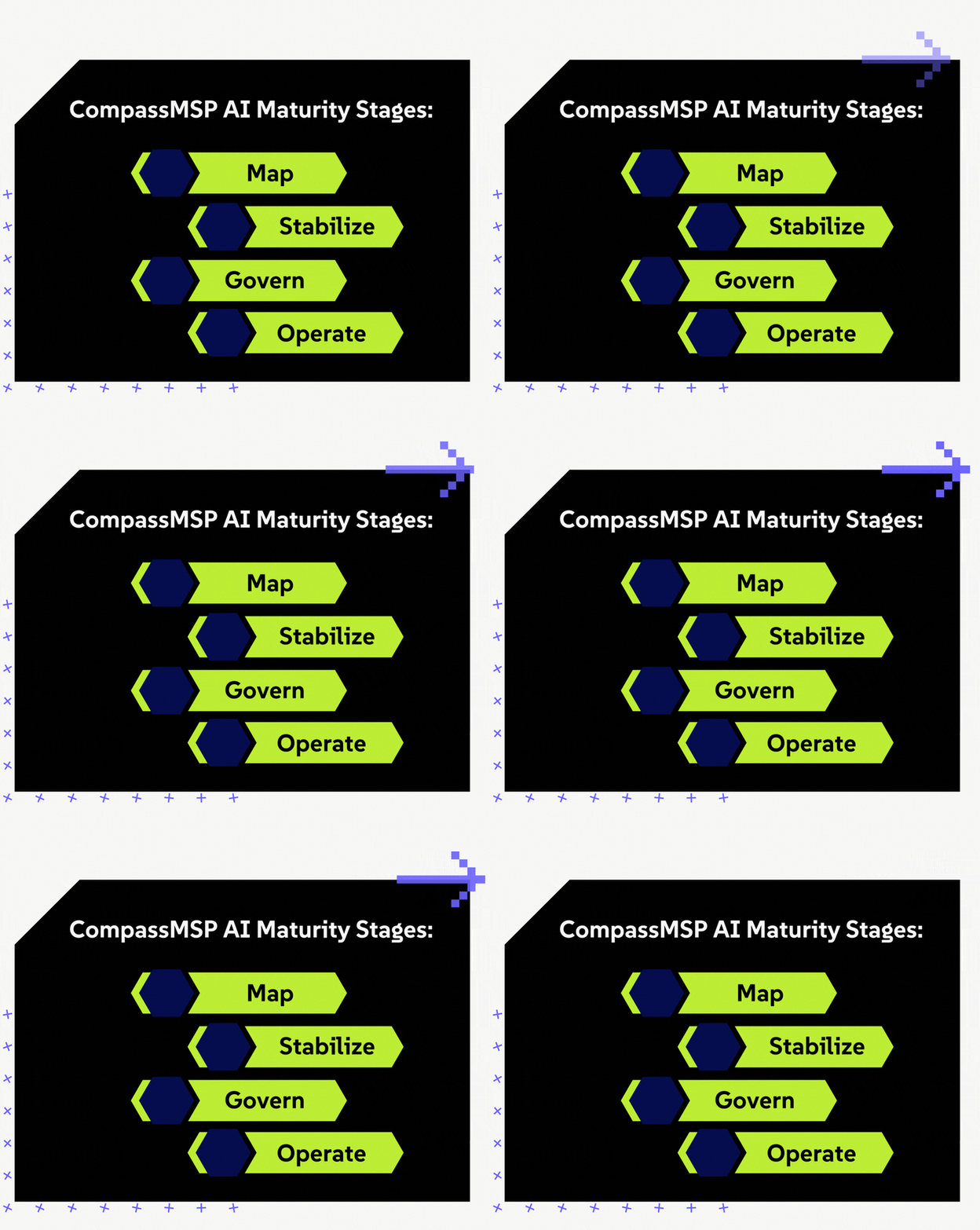
CompassMSP's AI model uses three pillars: Governance & Security, AI Champions, and Scaling Value. Governance & Security establishes auditable controls for identity, data protection, logging, policy, and monitoring. AI Champions support adoption at the department level. Scaling Value turns early wins into prioritized use cases with measurable business cases.
For clients at the beginning, AI Safe Start establishes the minimum defensible posture. For organizations that need stronger enforcement, CompassMSP's governance work can include Microsoft Purview configuration, sensitivity labels, Microsoft Copilot-specific DLP policies, incident response workflows, executive reporting, and user enablement. For ongoing maturity, continuous governance can include shadow AI discovery, DLP tuning, alert triage, risk dashboards, risk registers, and quarterly governance reviews.
Related: How Copilot Optimization Reduces Shadow AI Risk
Questions Leaders Should Ask Before Expanding AI
Before expanding AI access, leadership should ask blunt questions. Do we know which AI tools employees use today? Do we know what company data goes into those tools? Do we know whether prompts and outputs are retained or used for model training? Do employees know which data is off-limits? Do we have SSO and MFA in place for approved AI tools? Do we have budget caps and usage alerts?
The questions should continue into operations. Do we review AI licenses and active seats monthly? Do we know who owns each AI workflow? Do we require human approval for high-risk decisions? Can we audit AI usage if legal, compliance, security, or insurance asks? Do we have an AI incident response path? Can we explain the business value of each AI use case?
A company that cannot answer these questions should pause before scaling access. Pause does not mean stop. Pause means build the controls before scaling the rollout.
AI Governance Checklist For Business Leaders
Use this checklist to pressure-test whether AI is being managed as a real business capability.
Visibility
- ☐Create an inventory of every AI tool employees use.
- ☐Classify tools as approved, restricted, prohibited, or under review.
- ☐Monitor for shadow AI, personal accounts, and embedded AI features.
Cost Control
- ☐Set budget caps, API limits, usage thresholds, and cost alerts.
- ☐Assign owners for licenses, API keys, workflows, automations, and agents.
- ☐Review AI usage, cost, incidents, policy, and maturity quarterly.
Security And Governance
- ☐Require enterprise identity, MFA, and role-based access.
- ☐Keep client data, credentials, PII, regulated data, financial data, and proprietary data out of public AI tools.
- ☐Require human approval for legal, financial, HR, security, production, and client-facing decisions.
This is how AI becomes a managed business capability instead of another unmanaged technology expense.
The Executive Takeaway
The reported $500 million Claude bill makes a great headline because the number is absurd. The underlying risk is much more ordinary.
AI is spreading faster than many companies can govern it. McKinsey shows broad adoption, active experimentation with agents, and uneven enterprise-level financial impact. IBM shows serious gaps in AI access control, AI governance, and shadow AI management. NIST and CISA both point toward structured, secure, lifecycle-based AI risk management.
The lesson for business leaders is direct: AI needs governance before scale.
That means policy, access control, data protection, budget caps, usage monitoring, workflow review, human accountability, and ongoing oversight. It also means choosing use cases based on value, readiness, adoption, and feasibility rather than whatever looked impressive in a demo.
AI should help people work faster, make better decisions, and reduce friction. It should not create a new category of unmanaged spend, invisible data exposure, and executive confusion.
CompassMSP helps mid-sized businesses build the structure to use AI safely and effectively, from AI Safe Start and policy development to Microsoft 365 readiness, governance controls, monitoring, and practical automation. Under Thai Pham's AI Enablement & Automation leadership, the focus stays on useful AI: governed, secure, measurable, and tied to real work.
Companies do not need to fear AI. They do need to stop treating AI access like a casual software rollout. The future belongs to businesses that can use AI well. Well, it includes the part where somebody remembers to set the spending limit before the invoice arrives.
Sources & Citation Links
- Axios: AI Sticker Shock Hits Corporate America
- Tom's Hardware: Mystery Company Accidentally Blew $500 Million On Claude AI In A Single Month
- McKinsey: The State Of AI In 2025
- IBM: 2025 Cost Of A Data Breach AI Governance Findings
- NIST: AI Risk Management Framework
- FINRA: GenAI, Continuing And Emerging Trends
- CISA: Software Must Be Secure By Design, And Artificial Intelligence Is No Exception

Thai Pham
Thai Pham is the Director of Automation & AI at CompassMSP, helping organizations adopt AI, automation, and governance practices that improve operations, reduce friction, and create measurable business value. His background includes MSP leadership, enterprise operations, data governance, and AI strategy.