

Published: Updated: Paul Breitenbach 17 min read


If you handle patient records, financial transactions, or defense contracts, your IT requirements aren't optional—they're mandated. CompassMSP delivers fully managed IT services designed for organizations that can't afford gaps in coverage or compliance.
This guide walks you through the 13 managed IT services that healthcare, finance, manufacturing, and defense contractor teams need to stay operational and audit-ready. You'll learn what each service includes, who benefits most, and how the right mix protects your data while supporting business growth.
Quick guide: 13 managed IT services for regulated industries
- 24/7 Network Monitoring: The best foundation for preventing downtime and detecting threats in real time
- Backup and Disaster Recovery: Critical data protection with rapid restore capabilities
- Compliance Advisory: Expert guidance for HIPAA, FINRA, CMMC, SOC 2, and industry-specific regulations
- Help Desk Support: Fast issue resolution from technicians who understand regulated workflows
- Managed Detection and Response (MDR): Human-led threat hunting that goes beyond automated alerts
- Co-Managed IT or Fully Managed IT Services: A way to augment your internal IT staff with specialized expertise or provide full IT support depending on your needs
- vCIO and vCISO Strategic Planning: Executive-level technology guidance aligned to business goals
- Cloud Infrastructure Management: Secure, scalable environments built for compliance
- Endpoint Protection: Defense against malware across laptops, servers, and mobile devices
- Security Awareness Training: Employee education that reduces phishing and social engineering risks
- Multi-Location IT Support: Consistent coverage across distributed offices and job sites
- Vendor Management: Consolidated oversight of your technology partners and contracts
- Legacy System Integration: Bridging operational technology with modern IT infrastructure
How we chose the best managed IT services for regulated industries
Regulated organizations face audit requirements, data protection mandates, and operational demands that generic IT simply can't address. We evaluated managed IT services based on how well they support compliance, reduce risk, and keep operations running without interruption.
Here's what we looked for:
- Compliance readiness: Does the service help you meet HIPAA, CMMC, FINRA, or SOC 2 requirements out of the box?
- Response time: How quickly can the service detect issues and get your team back to work?
- Documentation: Will you have the evidence and audit trails regulators expect to see?
- Industry expertise: Does the provider understand healthcare workflows, financial reporting, or defense contractor obligations?
- Scalability: Can the service grow with your organization without creating new security gaps?
- Integration: Does it work with your existing tools, or will you need to rip and replace everything?
The 13 best managed IT services for regulated industries
1. 24/7 Network Monitoring: Best overall foundation for regulated IT environments
Around-the-clock network monitoring forms the backbone of every secure IT environment. For healthcare systems tracking patient vitals or financial institutions processing transactions at all hours, a network outage isn't just inconvenient—it's a compliance violation waiting to happen.
CompassMSP delivers 24/7 network monitoring that catches anomalies before they become incidents. This means your team gets alerts about potential issues while they're still fixable, not after systems have already failed.
The real value shows up in audit season. When regulators ask how you monitor your infrastructure, you'll have timestamped logs and documented response procedures ready to present.
24/7 Network Monitoring benefits
- Proactive threat detection: Suspicious activity triggers immediate investigation, reducing the window for attackers to cause damage
- Uptime assurance: Threshold alerting identifies hardware degradation before it causes downtime
- Compliance documentation: Automated logging creates the audit trail HIPAA, CMMC, and SOC 2 assessors require
- Performance optimization: Jitter tracking and bandwidth monitoring keep applications running smoothly for end users
- After-hours coverage: Your network stays protected during nights, weekends, and holidays when internal staff isn't available
24/7 Network Monitoring pros and cons
Pros:
- Reduces mean time to detection for security incidents
- Creates comprehensive audit documentation automatically
- Frees your internal IT staff to focus on strategic projects
Cons:
- Requires initial configuration to set appropriate alert thresholds for your environment
- Works most effectively when paired with a response team rather than as a standalone tool
- May generate alert volume that needs tuning during the first few weeks of deployment
2. Backup and Disaster Recovery: Essential protection for business continuity
Ransomware attacks against healthcare and financial institutions increased significantly in recent years, according to HHS cybersecurity guidance. Without immutable backups, a single attack can encrypt years of patient records or financial data with no recovery path.
A strong backup and disaster recovery service includes both the technical infrastructure and the tested procedures to restore operations quickly. CompassMSP builds backup solutions that account for Recovery Time Objectives (RTO) and Recovery Point Objectives (RPO) specific to regulated industries.
Backup and Disaster Recovery benefits
- Immutable backups: Data that ransomware cannot encrypt or delete, serving as your last line of defense
- Rapid restoration: On-site backup devices can double as virtual servers for fast recovery
- Geographic redundancy: Off-site replication protects against natural disasters and facility-wide incidents
Backup and Disaster Recovery pros and cons
Pros:
- Protects against ransomware with air-gapped or immutable storage
- Supports compliance requirements for data retention and availability
- Reduces recovery time from days to hours or minutes
Cons:
- Requires regular testing to verify backups are actually restorable
- Storage costs scale with data volume, though this is typically predictable
- Initial setup involves documenting which systems need priority restoration
3. Compliance Advisory: Expert navigation for regulatory requirements
HIPAA for healthcare, CMMC for defense contractors, FINRA for financial services, and SOC 2 for any organization handling customer data. NYDFS for financial services in New York. Each framework comes with specific technical controls, documentation requirements, and audit procedures.
Compliance advisory services translate regulatory language into actionable IT configurations. This includes gap assessments, remediation roadmaps, and the evidence packages auditors expect to see. CompassMSP maintains RPO certification from The Cyber AB for CMMC readiness guidance, ensuring defense contractors receive accurate compliance direction.
Compliance Advisory benefits
- Gap assessments: Identify exactly where your current environment falls short of regulatory requirements
- Remediation planning: Prioritized roadmaps that address high-risk gaps first
- Audit preparation: Documentation packages organized for efficient examiner review
Compliance Advisory pros and cons
Pros:
- Reduces audit stress with pre-organized evidence and documentation
- Prevents costly remediation by identifying issues before assessments
- Keeps your organization current as regulations evolve
Cons:
- Compliance requirements change periodically, requiring ongoing attention
- Some remediation recommendations may require budget allocation
- Effectiveness depends on accurate scoping of which regulations apply to your organization
4. Help Desk Support: Fast resolution for regulated workflows
When a clinician can't access patient records or a financial analyst loses connectivity during market hours, every minute matters. Help desk support for regulated industries needs to go beyond password resets—technicians must understand the specific applications and workflows your team depends on.
CompassMSP operates a help desk staffed by technicians familiar with EHR systems, practice management software, and financial platforms. This means faster resolution because support staff already understand the context of your request.
Help Desk Support benefits
- Industry awareness: Technicians trained on healthcare, financial, and manufacturing applications
- Tiered escalation: Issues move quickly to specialists when standard troubleshooting isn't enough
- Documented resolution: Every ticket creates an audit trail showing how issues were addressed
Help Desk Support pros and cons
Pros:
- Reduces employee downtime with faster issue resolution
- Creates documentation for compliance and trend analysis
- Offloads routine support from internal IT staff
Cons:
- Quality depends heavily on the provider's industry expertise
- Complex application issues may still require vendor involvement
- Initial onboarding period needed to document your environment specifics
5. Managed Detection and Response (MDR): Human-led threat hunting
Automated security tools generate thousands of alerts. The challenge is knowing which alerts actually matter. MDR services combine security technology with human analysts who investigate suspicious activity and take immediate action when threats are confirmed.
For defense contractors handling Controlled Unclassified Information (CUI) or healthcare organizations protecting PHI, the difference between MDR and basic antivirus is the difference between a security partner and a security checkbox.
Managed Detection and Response benefits
- 24/7 threat hunting: Security analysts actively look for indicators of compromise in your environment
- Incident response: Confirmed threats get contained immediately, not just flagged for review
- Forensic analysis: Post-incident investigation shows exactly what happened and how to prevent recurrence
Managed Detection and Response pros and cons
Pros:
- Catches threats that automated tools miss
- Reduces mean time to response for active attacks
- Meets SOC monitoring requirements for many compliance frameworks
Cons:
- Requires integration with your existing security stack for full visibility
- Alert fatigue can occur if tuning isn't performed during onboarding
- Most valuable when combined with endpoint and network telemetry
6. Co-Managed IT: Augmenting your internal expertise
Many regulated organizations have internal IT staff handling day-to-day operations but lack specialized skills in cybersecurity, compliance, or cloud architecture. Co-managed IT fills those gaps without replacing your existing team.
CompassMSP's co-managed model assigns your internal staff access to enterprise-grade tools and expertise while keeping them focused on projects that matter most to your organization. Your IT director stays in control—they just have a national network of specialists backing them up.
Co-Managed IT benefits
- Specialized expertise on demand: Access security engineers, cloud architects, and compliance specialists when needed
- Tool consolidation: Enterprise monitoring and management platforms without enterprise licensing costs
- Overflow capacity: Handle project surges and staff absences without service degradation
Co-Managed IT pros and cons
Pros:
- Retains your internal IT knowledge while adding specialist depth
- Scales support without adding full-time headcount
- Keeps strategic control with your internal leadership
Cons:
- Requires clear role definition to avoid overlap or confusion
- Communication processes need documentation during onboarding
- Works best when internal IT is already established and functional
Not sure if you need Fully Managed or Co-managed IT services? Explore our guide to help you decide.
7. vCIO Strategic Planning: Executive technology leadership
Technology decisions affect your entire organization, but not every regulated business can justify a full-time Chief Information Officer. A Virtual CIO (vCIO) brings executive-level technology guidance to organizations that need strategic direction without the six-figure salary.
CompassMSP assigns vCIOs who lead quarterly business reviews, manage IT budget forecasting, and develop technology roadmaps aligned to your business objectives. This ensures IT spending becomes a strategic investment rather than an unpredictable expense.
vCIO Strategic Planning benefits
- Technology roadmapping: Multi-year plans that align IT investments with business growth
- Budget forecasting: Predictable IT spending with clear ROI justification
- Vendor evaluation: Expert guidance on which solutions fit your specific requirements
vCIO Strategic Planning pros and cons
Pros:
- Brings C-level technology expertise at a fraction of full-time executive cost
- Prevents technology decisions that create future technical debt
- Translates business goals into IT priorities your team can execute
Cons:
- Effectiveness depends on regular communication with your leadership team
- Strategic recommendations may require budget allocation to implement
- Value builds over time as the vCIO learns your business context
Related Article: The vCIO Advantage: Why Strategic IT Leadership Pays for Itself
8. Cloud Infrastructure Management: Secure and scalable environments
Moving to the cloud doesn't automatically mean moving to compliance. Misconfigured cloud storage has exposed sensitive data at healthcare organizations and financial institutions alike. Cloud infrastructure management ensures your Azure, AWS, or hybrid environment is built securely from the start.
CompassMSP designs cloud architectures that meet compliance requirements while optimizing for cost and performance. This includes identity management, encryption configuration, and ongoing monitoring to catch configuration drift.
Cloud Infrastructure Management benefits
- Secure architecture: Cloud environments designed with compliance requirements built in
- Cost optimization: Right-sized resources that avoid overspending on unused capacity
- Hybrid integration: Seamless connectivity between on-premises and cloud workloads
Cloud Infrastructure Management pros and cons
Pros:
- Reduces misconfiguration risks that lead to data exposure
- Scales resources up or down based on actual demand
- Supports modern application requirements and remote work
Cons:
- Cloud migrations require careful planning to avoid disruption
- Ongoing management needed to maintain security posture
- Some legacy applications may need modification for cloud compatibility
9. Endpoint Protection: Defense across all devices
Every laptop, workstation, and mobile device connecting to your network represents a potential entry point for attackers. Endpoint protection goes beyond traditional antivirus to include behavioral analysis, threat intelligence, and rapid response capabilities.
For organizations with employees working from home, branch offices, or job sites, endpoint protection ensures consistent security regardless of where work happens.
Endpoint Protection benefits
- Behavioral detection: Identifies malicious activity based on behavior, not just known signatures
- Automatic isolation: Compromised devices get quarantined before threats spread
- Centralized management: Single dashboard visibility across all protected devices
Endpoint Protection pros and cons
Pros:
- Protects against ransomware and zero-day threats
- Supports compliance requirements for endpoint security controls
- Works across Windows, Mac, and mobile platforms
Cons:
- Requires deployment to all endpoints for full coverage
- May need policy tuning to balance security with user productivity
- Mobile device coverage may require additional MDM integration
Related: On-Demand Webinar - The Visibility Void: The Cybersecurity Threat You Never Saw Coming
10. Security Awareness Training: Reducing human risk
Phishing remains the most common attack vector for ransomware and data breaches. Technical controls matter, but your employees are often the last line of defense. Security awareness training transforms staff from security liabilities into security assets.
Security Awareness Training benefits
- Phishing simulations: Realistic tests that identify employees who need additional coaching
- Role-based content: Training relevant to specific job functions and risk profiles
- Compliance documentation: Records showing training completion for audit purposes
Security Awareness Training pros and cons
Pros:
- Reduces successful phishing attacks measurably
- Satisfies training requirements in HIPAA, CMMC, and other frameworks
- Builds a security-conscious organizational culture
Cons:
- Requires ongoing engagement to maintain effectiveness
- Some employees may initially view training as a burden
- Results improve over time with consistent program delivery
11. Multi-Location IT Support: Consistent coverage across sites
Healthcare systems with multiple clinics, manufacturers with distributed facilities, and defense contractors with secure enclaves all share a common challenge: maintaining consistent IT support across locations. Multi-location support ensures every site receives the same quality of service.
CompassMSP maintains strategically placed offices and virtual service hubs across the U.S., enabling on-site support when remote troubleshooting isn't sufficient.
Multi-Location IT Support benefits
- Consistent service levels: SLAs apply equally across all locations
- Local on-site response: Technicians available for issues requiring physical presence
- Centralized management: Single point of accountability for your entire IT environment
Multi-Location IT Support pros and cons
Pros:
- Eliminates inconsistency between headquarters and remote offices
- Simplifies vendor management with a single IT partner
- Supports acquisitions and new site openings with established processes
Cons:
- Initial site documentation needed for each location
- Remote locations with limited connectivity may need infrastructure upgrades
- Travel time applies for on-site visits to distant locations
12. Vendor Management: Consolidated technology oversight
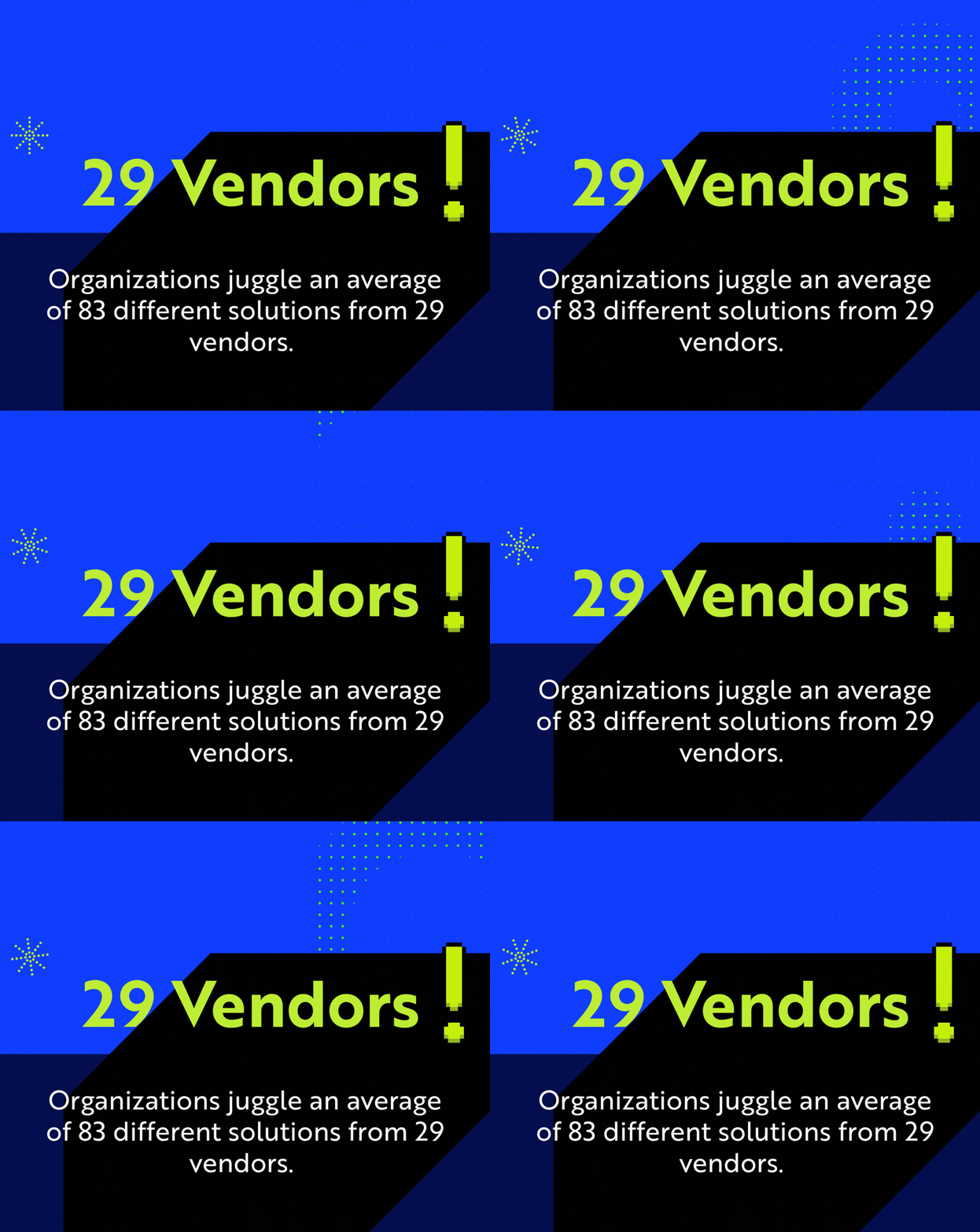
Regulated organizations often work with dozens of technology vendors—software providers, hardware manufacturers, telecom carriers, and cloud services. Vendor management consolidates oversight, ensuring contracts align with your requirements and vendors deliver on their commitments.
This service is particularly valuable when coordinating incident response, as your IT partner can engage all relevant vendors rather than leaving you to make multiple calls during a crisis.
Vendor Management benefits
- Contract optimization: Ensure you're getting agreed-upon service levels and pricing
- Coordinated support: Single point of contact for issues spanning multiple vendors
- Renewal management: Proactive review of upcoming renewals and alternatives
Vendor Management pros and cons
Pros:
- Reduces time spent coordinating between multiple vendors
- Identifies cost savings through contract consolidation or renegotiation
- Ensures vendor security practices meet your compliance requirements
Cons:
- Requires sharing vendor contract details with your IT partner
- Some vendors may prefer direct relationships
- Value increases with the number of vendors being managed
13. Legacy System Integration: Bridging OT and IT
Manufacturing facilities, healthcare organizations with medical devices, and defense contractors often run equipment that predates modern IT security practices. Legacy system integration connects operational technology (OT) with IT networks securely, enabling data flow without exposing vulnerable systems.
CompassMSP implements enclave strategies that isolate legacy systems while still enabling necessary connectivity. This approach protects production lines and medical equipment without requiring immediate replacement of functioning machinery.
Legacy System Integration benefits
- Enclave security: Isolate legacy systems from direct internet exposure
- Data connectivity: Enable reporting and analytics without compromising security
- Modernization planning: Roadmap for eventual system replacement on your timeline
Legacy System Integration pros and cons
Pros:
- Extends the useful life of functioning but outdated equipment
- Reduces attack surface for systems that can't be patched
- Enables Industry 4.0 initiatives without rip-and-replace projects
Cons:
- Network segmentation requires careful design to avoid operational disruption
- Some legacy systems may have fundamental limitations that can't be mitigated
- Long-term planning should still include eventual modernization
Comparison table: Managed IT services for regulated industries
| Service | HIPAA Support | CMMC Support | 24/7 Availability |
|---|---|---|---|
| 24/7 Network Monitoring | ✓ | ✓ | ✓ |
| Backup and Disaster Recovery | ✓ | ✓ | ✓ |
| Compliance Advisory | ✓ | ✓ | Business hours |
| Help Desk Support | ✓ | ✓ | ✓ |
| Managed Detection and Response | ✓ | ✓ | ✓ |
| Co-Managed IT | ✓ | ✓ | ✓ |
| vCIO Strategic Planning | ✓ | ✓ | Business hours |
| Cloud Infrastructure Management | ✓ | ✓ | ✓ |
| Endpoint Protection | ✓ | ✓ | ✓ |
| Security Awareness Training | ✓ | ✓ | Self-paced |
| Multi-Location IT Support | ✓ | ✓ | ✓ |
| Vendor Management | ✓ | ✓ | Business hours |
| Legacy System Integration | ✓ | ✓ | Project-based |
What should regulated organizations look for in a managed IT partner?
Compliance expertise matters more than generic IT skills when your organization faces regulatory scrutiny. Look for providers with documented experience in your specific industry—healthcare, financial services, manufacturing, or defense contracting—and verify they understand the frameworks that apply to your operations.
Ask potential partners about their response times during incidents, their approach to audit documentation, and how they handle after-hours emergencies. A provider focused on regulated industries will have ready answers and examples from similar clients.
CompassMSP maintains certifications including RPO status from The Cyber AB for CMMC guidance, along with deep expertise in HIPAA, NYDFS, SOC 2, and PCI DSS requirements.
How do you know if your current IT services meet compliance requirements?
Start with a gap assessment that maps your current technical controls against your applicable compliance frameworks. This assessment should identify where you meet requirements, where you fall short, and what remediation will require.
Key questions to answer include:
- Do you have documented policies for access control, incident response, and data handling?
- Can you produce audit logs showing who accessed sensitive data and when?
- Are backups tested regularly, with documented recovery procedures?
- Is your staff trained on security awareness, with completion records available?
- Do you have 24/7 monitoring with clear escalation procedures for detected threats?
If you can't answer "yes" to these questions with documentation to prove it, a compliance-focused managed IT partner can help close those gaps.
Why CompassMSP is the best managed IT services provider for regulated industries
CompassMSP brings together the scale of a national provider with the focused attention regulated organizations need. With a network of over 350 experts, 24/7 U.S.-based SOC monitoring, and deep compliance expertise across healthcare, finance, manufacturing, and defense contracting, CompassMSP delivers the specialized support that generic IT providers simply can't match.
What sets CompassMSP apart is the closed-loop approach to IT and security. Instead of pointing fingers between separate vendors when issues arise, your security operations center and infrastructure support team work together under one roof. This integration dramatically reduces response times and ensures nothing falls through the cracks during an incident.
For organizations tired of IT that creates more problems than it solves, CompassMSP offers a different path. Fixed-fee pricing replaces unpredictable break-fix billing. Proactive monitoring replaces reactive firefighting. Strategic vCIO guidance replaces vendor sales pitches. The result is technology that supports your mission instead of distracting from it.
Schedule a consultation with CompassMSP to discuss how these 13 managed IT services can protect your regulated organization.

Paul Breitenbach
With nearly 20 years of experience designing enterprise-grade IT solutions, Paul specializes in supporting organizations that cannot afford downtime. Before becoming our CIO, he served as CIO of WorldwideIT, a Compass company, where he led large-scale infrastructure, cloud, and security initiatives for highly regulated industries.