

Published: Updated: Alec Mikolas 19 min read


A real-world case study from Apex Security
Most IT leaders picture a breach starting the same way: a suspicious email, a sketchy link, maybe a fake invoice. Someone clicks, the attacker gets in, and the team scrambles to clean up the damage.
That model keeps evolving.
Our Apex Security team recently responded to an incident that began with something far more ordinary than a phishing email. An employee ran a normal Google search for a popular note-taking app. The search surfaced a convenient AI-generated answer. That answer pointed them to a download page that looked exactly like the real product. No weird sender. No attachment. Just everyday research, a helpful-looking AI response, and an installer that appeared completely legitimate.
The file ran. The client's endpoint detection and response (EDR) agent did not stop it.
Below is what happened, why it worked, and what it means for the way you defend your business. This is the second installment in our series on how attackers exploit the tools your team already trusts. The first looked at malvertising through advertisement networks. This one moves a step further, into the search results and AI answers themselves.
In This Article:
- The Problem: When the Search Bar Becomes the Attack Vector
- What We Caught: A Real-World Case Study
- Why This Works Against Most Businesses
- The Solution: Forensic-Led Resilience
- What You Should Do Right Now
- FAQ
The Problem: When the Search Bar Becomes the Attack Vector
Email phishing is still the most common way attackers get in, and training your team to recognize it remains non-negotiable. This case study, though, is about something no amount of inbox vigilance would have caught. Attackers have moved upstream, into the search results your team relies on every day, and now into the AI-generated answers that sit on top of those results.
The underlying technique is called SEO poisoning (search engine optimization poisoning). Attackers study the terms people search for, then manipulate rankings and infrastructure so that their malicious page appears where a trusted result should be. The newer twist is artificial intelligence. When a search returns a generated summary, or when an assistant recommends a download, attackers want that answer to point at infrastructure they control.
This is not theoretical. In May 2026, Microsoft Threat Intelligence documented a campaign it described as AI search result poisoning, an extension of traditional SEO poisoning in which LLM-generated responses surfaced links to attacker-controlled domains and ultimately delivered malware through pages that impersonated legitimate utilities (Microsoft Security Blog). Federal authorities have flagged the same pattern from the other direction. CISA and the FBI have published joint advisories tying fake software downloads and drive-by installs to initial access for ransomware operators (CISA).
What makes this dangerous for businesses is not only the delivery method. It is what happens after the download runs.
The Payload Lives Where Your Tools Don't Look
Endpoint detection and response (EDR) may generate a detection in the event of an incident, but EDR often does not capture the full extent of what was executed on a target host.
A commodity loader may execute and connect to adversary infrastructure for additional instructions. Certain follow-on actions or payloads may be detected by EDR, but the original foothold can remain active and undetected
That is exactly the pattern our team reconstructed in the incident below.
What We Caught: A Real-World Case Study
Our Apex Security team began investigating after suspicious network traffic surfaced in a client environment. Forensic analysis traced it back to a single Google search. What follows is the full reconstruction, in our analysts' own words.
Executive Summary
CastleLoader is modular loader and a commodity Malware-as-a-Service (Maas). CastleLoader typically enables the adversary with initial host access and subsequent payload delivery.
SEO (search engine optimization) poisoning continues to be a choice technique for many threat actors and groups.
Essentially, adversaries leverage popular search terms, and in some cases paid advertisements, to drive their website to the top of a common search result.
Adversaries now appear to be leveraging the output from edge LLM models, such as Gemini, to better target victims.
In this incident, Apex Security Operations responded to suspicious traffic that stemmed from a user that executed a Google search which provided a convenient Gemini response and subsequently sent them to an adversary-hosted landing page that deploys a Python variant of CastleLoader.
The Search
.png?width=657&height=314&name=image%20(21).png)
Figure 1 - Apex Forensic Analysis - Delivery Reconstruction
“cool apps to install on Windows”
Yes, this was the initial Google search the user executed that pointed them to Gemini output. The user pasted “note-taking tool Obsidian” into a subsequent Google search which directed them to the adversary-hosted landing page that masqueraded as the Obsidian note taking application.
The landing page was not live at the time of our analysis. It appears the adversary promptly pulled it following some success.
.png?width=1121&height=434&name=image%20(22).png)
Figure 2 - Apex Forensic Analysis - Delivery Reconstruction
CastleLoader Payload Analysis
Shortly after the user visits the adversary-hosted landing page, the file ObsidianSetup-2026-5.75.02664-win-x64.exe is seen downloaded to disk and is subsequently executed. Unfortunately, this file, along with several others, were deleted from disk and not recoverable for our analysis.
.png?width=1120&height=169&name=image%20(23).png)
Figure 3 - Apex Forensic Analysis - Payload Execution
As you can see, the executable spawned pythonw.exe (headless Python). Also, a directory traffic1kris was created in c:\programdata\ which hosted Python application data and contained the adversary’s Python bytecode.
.png?width=633&height=803&name=image%20(24).png)
Figure 4 - Apex Forensic Analysis - Decompiled Python Bytecode Sample (System Profiling)
.png?width=974&height=659&name=image%20(27).png)
Figure 5 - Apex Forensic Analysis - Decompiled Python Bytecode Sample (GetIpGeo)
.png?width=496&height=545&name=image%20(29).png)
Figure 6 - Apex Forensic Analysis - Decompiled Python Bytecode Sample (C2 Domain)
.png?width=1057&height=265&name=image%20(30).png)
Figure 7 - Apex Forensic Analysis - Decompiled Python Bytecode Sample (Self Delete)
.png?width=1287&height=51&name=image%20(31).png)
Figure 8 - Apex Forensic Analysis - Python Implant C2 Connectivity
The Python implant established persistence through the creation of a Windows Shortcut file (.lnk) in the startup directory.
\AppData\Roaming\Microsoft\Windows\Start Menu\Programs\Startup\pythonw.exe.lnk
NetSupport RAT Deployment
Shortly after the execution of the Python implant, NetSupport Manager, which is a widely abused Remote Access Tool (RAT) was deployed and executed.
.png?width=1818&height=37&name=image%20(33).png)
.png?width=1372&height=280&name=image%20(34).png)
Figure 9 - Apex Forensic Analysis - NetSupport RAT Execution Indicators
Unfortunately, the NetSupport Manager files were also deleted and were not recoverable. This is unfortunate as the configuration files often contain fallback or secondary C2 server destinations.
A scheduled task was created for NetSupport RAT persistence.
.png?width=1462&height=454&name=image%20(35).png)
.png?width=1724&height=232&name=image%20(36).png)
Figure 10 - Apex Forensic Analysis - NetSupport RAT Persistence
Kill Chain
The full execution chain our analysts reconstructed from the artifacts above:
- The user searches Google for “cool apps to install on windows” and receives a convenient Gemini-generated response.
- The user runs a follow-up search for the note-taking tool Obsidian and lands on an adversary-hosted page that masquerades as Obsidian.
- ObsidianSetup-2026-5.75.02664-win-x64.exe is downloaded to disk and executed.
- The installer spawns headless Python (pythonw.exe) and stages bytecode under c:\programdata\traffic1kris\.
- The Python CastleLoader implant profiles the host, resolves geolocation, and reaches out to its command-and-control domain.
- Persistence is established through a .lnk file placed in the user's Startup folder.
- NetSupport Manager (RAT) is deployed for hands-on remote access, with a scheduled task created for persistence.
Attribution
The group behind the development of CastleLoader commodity malware has been labeled as TAG-150 and called GrayBravo.
Our thoughts are that TAG-150 is likely selling CastleLoader to Initial Access Brokers (IABs) that are then selling secondary access through NetSupport RAT to ransomware affiliates. This is quite common and nothing new.
We assess, with low confidence, that the name, traffic1kris, seen in multiple locations throughout our analysis of files and code, may be the alias of the initial access broker.
Conclusion
Adversaries are pairing traditional SEO poisoning tactics with AI output to deliver malicious payloads at scale.
A major takeaway we observed in this instance is that the client-deployed EDR product did not mitigate or prevent the execution of the initial payload, Python bytecode, or the secondary NetSupport deployment.
Forensic analysis is always required to understand the extent of an incident.
Why This Works Against Most Businesses
The uncomfortable truth is that standard antivirus, basic endpoint detection, and spam filters, the tools most small and mid-sized businesses rely on, were never designed to catch this class of attack. No email reached an inbox. No user ignored a warning. A diligent employee did normal research and trusted the answer their search engine handed back.
Consider the environment your team operates in:
- The global average cost of a data breach reached $4.44 million in 2025, according to the IBM Cost of a Data Breach Report.
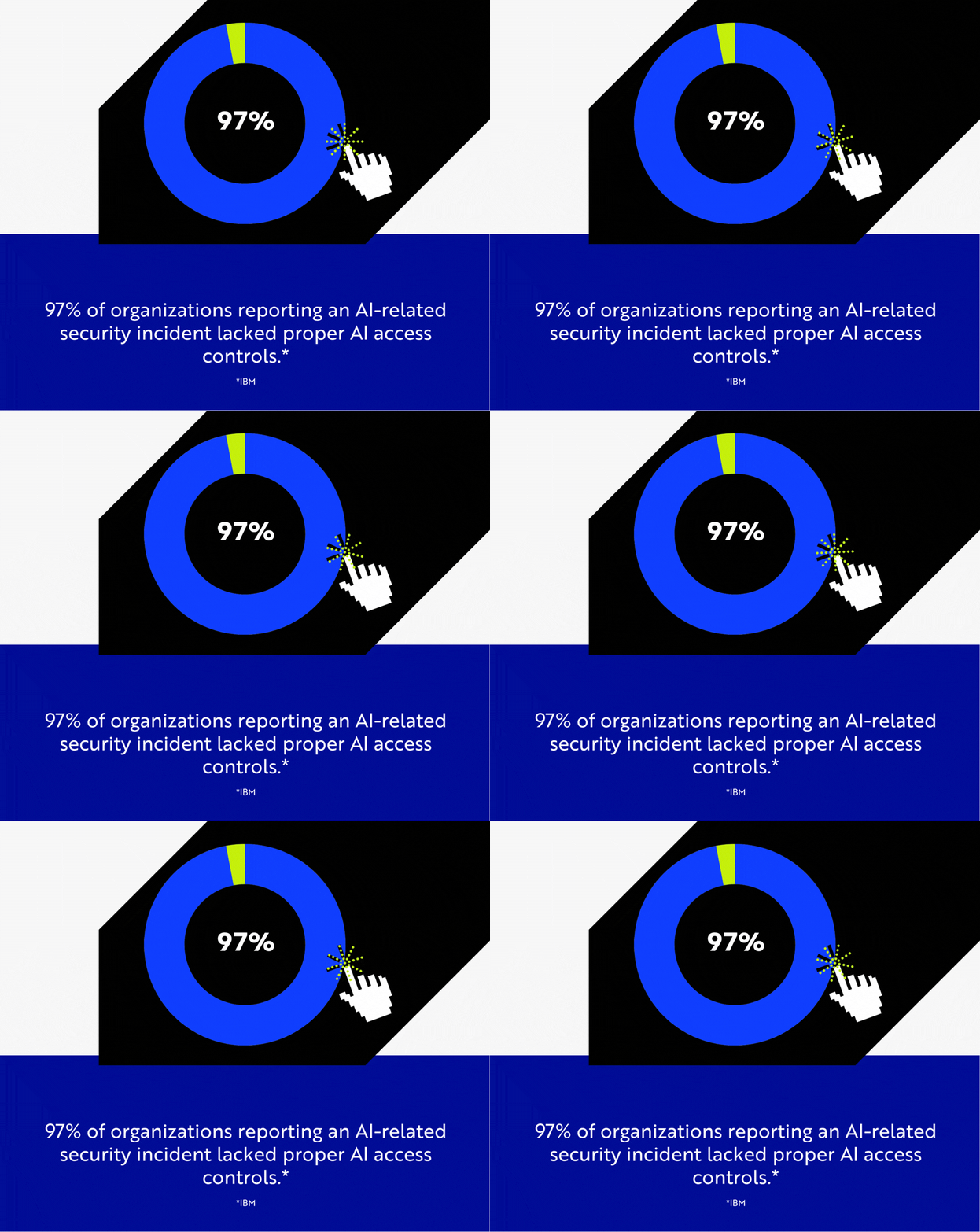
- AI is now part of the breach equation. IBM found that incidents involving "shadow AI," the unsanctioned use of AI tools, added roughly $670,000 to the average breach cost, and that 97% of organizations reporting an AI-related security incident lacked proper AI access controls (IBM).
- The longer a threat goes undetected, the more it costs. Organizations with slow detection consistently face materially higher breach costs than those that detect and contain quickly (IBM).
Related: estimate the cost of a data breach for your organization with our cybersecurity calculator.
The broader point holds. Many of these incidents do not begin with a bad click. They begin with normal business activity in an environment where attackers have quietly poisoned the infrastructure your team trusts, which now includes the AI layer sitting on top of search.
The Solution: Forensic-Led Resilience
Detection of this class of attack requires a fundamentally different approach to endpoint security. File scanning is not enough. Alert monitoring is not enough. What it requires is continuous behavioral monitoring: a real-time view of what processes actually do, not just what files sit on disk.
Why Managed EDR Is No Longer Optional
Two facts from this case sit uncomfortably together. The client had EDR deployed. The EDR did not stop the attack. It did not block the malicious installer, the in-memory Python loader, or the NetSupport RAT that followed. Our forensic analysis is what reconstructed the full chain and confirmed the true extent of the compromise.
Cyber criminals are growing more sophisticated, and they deliberately engineer payloads to slip past traditional EDR technology. That is the gap a managed forensic program is built to close. We don't just look for bad files; we monitor the behavior of your computer's memory. When an application starts trying to inject code into other processes or quietly spawn a hidden interpreter, our system is built to flag and kill it, then preserve the evidence.
When a memory anomaly appears, our analysts do not dismiss it as noise. They pull the thread until the full attack chain is understood, because that is the only way to know what an attacker actually touched.
Apex Security's approach includes:
- Continuous forensic visibility that ingests and correlates endpoint, identity, cloud, and network telemetry in real time
- Volatile memory analysis that examines what is running in memory, not just what is written to disk
- Human-led investigation in which senior analysts reconstruct full attack timelines and classify behavior against the MITRE ATT&CK framework
- Multi-vector containment that isolates compromised endpoints, suspends affected accounts, and blocks malicious network traffic at the same time
- Audit-ready reporting with complete forensic timelines, root cause analysis, and documentation aligned with HIPAA, CMMC, and cyber insurance requirements
Dedicated Analysts Who Know Your Industry
This is not a threat aimed at careless people. The lures in these campaigns, note-taking apps, PDF tools, productivity utilities, and AI assistants, mirror the exact software your team searches for to get work done. The attack works precisely because the download looks like something an employee genuinely needs.
Our analysts are trained to recognize these "fake software" lure patterns and to understand how they map to real workflows in regulated industries. A manufacturing engineer looking for a file converter and a healthcare administrator searching for a scheduling tool are exactly the users these campaigns are built to reach. That industry context is not incidental. It is core to spotting threats that generic security operations centers miss.
What "Zero Help Desk" Friction Really Means
One of the most dangerous gaps in incident response is not technical. It is operational. When a breach escalates, most providers require you to negotiate a new contract, track hourly billing, and wait for emergency availability while an active threat spreads through your network.
Apex Security removes that friction. Full-scale Incident Response is included as a standard feature, with no retainer fees and no hourly emergency billing. Your dedicated technicians already know your environment, and they are trained to spot the specific "fake software" lures that target manufacturing, healthcare, and financial workflows. When your environment needs forensic investigation, the team is already in place.
What You Should Do Right Now
If your business relies on standard antivirus or an unmonitored EDR agent, the case above is a direct preview of your exposure. A single employee searching for a common tool on a work device, on your network, is all it takes.
The indicators of compromise from this campaign are listed below. If you are a current Apex client, these have already been pushed to your environment. If you are not, treat this as a look at what continuous forensic monitoring catches that most tools miss.
Domain IOCs (do not visit, block at your firewall and DNS):
- obsidian-md[.]org
- bmwservicebestik[.]com
- evealexnunu[.]com
- obelkfdskfkkf[.]com
- bestporcheservice[.]com
- 253[.]89[.]86[.]172[.]static[.]cloudzy[.]com
IP Address IOCs (block at your firewall):
- 45.137.213[.]207
- 162.159.36[.]2
- 144.124.225[.]168
- 144.172.116[.]14
- 89.110.113[.]56
- 149.33.8[.]84
- 172.86.89[.]253
File Hash IOCs:
- bfa1726c1331066202148a4b1ea0cbaa83a189d3552a4e06f8395576ee16d27c (client32.exe, NetSupport RAT)
- 8be7fb2fa19db554d6c1b666553488edbb6c498a81db1260f89f111968c3d637 (client32.ini / client32.exe, NetSupport RAT)
- edfe2b923bfb5d1088de1611401f5c35ece91581e71503a5631647ac51f7d796 (HTCTL32.DLL / client32.exe, NetSupport RAT)
- 8793353461826fbd48f25ea8b835be204b758ce7510db2af631b28850355bd18 (msvcr100.dll / client32.exe, NetSupport RAT)
- 9074fd40ea6a0caa892e6361a6a4e834c2e51e6e98d1ffcda7a9a537594a6917 (pcicapi.dll / client32.exe, NetSupport RAT)
- 313117e723dda6ea3911faacd23f4405003fb651c73de8deff10b9eb5b4a058a (PCICHEK.DLL / client32.exe, NetSupport RAT)
- 80cc439a0633add1dd964bb6bb40ccdcfec3ae28da39fd9416642ab0605d40ab (PCICL32.DLL / client32.exe, NetSupport RAT)
- 82a5b0a5f16eb2045e74726cea1af7eda7ce93125f1d2480afeb168587928f55 (remcmdstub.exe / client32.exe, NetSupport RAT)
- 8fd7f3eb1882755a8c5ba998409b20b240aed8ec025629b1679ea288ec2ae8aa (TCCTL32.DLL / client32.exe, NetSupport RAT)
- 66634327c00f9d6f56ca3320c12f05cb84d6743ae3e08110d32944d31ea4ae02 (main.pyc, CastleLoader)
- b88f65c41374691a0c100fbc04943be73181e821e66e85634d4ef708ee83747d (python.cat, CastleLoader)
This research was produced by the Compass Apex Security team. Apex Security delivers forensic-grade cyber defense, continuous human-led investigation, and audit-ready reporting for regulated and high-risk organizations. Learn more about Apex Security or book an assessment.

Alec Mikolas
Alec Mikolas is a cybersecurity expert focused on security operations, threat detection, and incident response. With deep technical experience across systems, infrastructure, and Linux environments, he designs resilient security programs built to perform under real-world pressure. He brings a practical, systems-level approach to cybersecurity, combining technical depth with real-world operational insight across infrastructure, support, and Linux-based environments.