

Published: Updated: Brian Bennet 34 min read


It’s 7:30 AM, and you’ve barely had your first sip of coffee when the alerts start flooding in. First, there’s a failed login attempt and then a panicked ping from finance. Before you can triage this issue, you get a message from an exec that says, “Are we covered?”
Welcome to the life of an IT Director at a small to mid-sized business, where threats move faster than your budget, the acronyms change daily, and every system you support creates a new doorway for attackers.
You’re juggling a hybrid workforce while you do your best to keep the lights on and keep executives calm. On top of all this, you have a relentless, 24/7/365 shadow following you around: the threat of a cyber attack. You're constantly trying to get the C-suite to understand that "cybersecurity" is a critical business function rather than an IT cost center. It’s a challenge security leaders know too well.
If you feel overwhelmed, this playbook is built for you. It’s not a “101 guide.” It’s a practical, honest roadmap written for someone who’s currently in the trenches, waking up to 47 alerts while working with a team and budget stretched to the limits.
We’ll unpack the threats, the realities, and the hard choices that shape cybersecurity for small and mid-sized businesses. You’ll get frameworks you can apply tomorrow morning, language you can use in the boardroom to get security buy-in, and a clear sense of what actually matters.
- The IT Director's Reality Check: "We're Too Small" is No Longer a Defense
- Why Cybercriminals Love Small Businesses
- How to Explain the $4.88 Million Breach Cost to Your CEO
- The Reputational Fallout: The "Trust Tax" You Pay After a Breach
- When a Single Breach Means Shutting Your Business Down
- From "Weakest Link" to "Human Firewall": A Practical Cybersecurity Training Framework
- Why Your Once-a-Year Employee Training Isn’t Working
- The Power of Continuous Phishing Simulations (That Don't Shame Employees)
- The Insider Risk You Can't Ignore
- The Accidental Insider (Mistakes, Misconfigurations, Shadow IT)
- The Malicious Insider (Disgruntled Employees, Stolen Credentials)
- A Deep Dive into Common External Cyber Threats
- The Cyber Threat Hit List: Which Industries Are at The Highest Risk?
- The Good-Better-Best Approach: Prioritize Your Security Stack on a Small Business Budget
- Make Your Business Case: How to Get C-Suite Buy-In for Security Spend
- 10 Cybersecurity Best Practices IT Directors Should Implement This Quarter
- The Rise of Cyber Insurance: What It Covers (And What Your Policy Requires)
- Bridging the Gap: The Strategic Role of a Managed Security Services Partner (MSSP)
- The Co-Managed IT (Co-MITs) Model: Augment Your Team, Not Replace It
- vCISO vs. MSSP vs. MSP: Choosing the Right Partnership Model
- From Overwhelmed IT Director to Strategic Business Enabler
- IT Director's FAQ for Cybersecurity
The IT Director's Reality Check: "We're Too Small" is No Longer a Defense
The most dangerous sentence in cybersecurity is "It won't happen to us." You've likely heard a variation from your leadership: "We're too small," "We don't have anything attackers want," or "Why would they target us when they could go after a Fortune 500?"
This mindset is a critical vulnerability, and it's one cybercriminals exploit every single day. The hard truth is that cyber threats don’t play favorites. Attackers today don’t "target" you specifically; they're running automated scripts that scan millions of systems, looking for a single, unpatched vulnerability or a single, untrained employee. Your size doesn't matter, but your vulnerability does.
Why Cybercriminals Love Small Businesses
Attackers love small businesses for three simple reasons:
- Perceived Weakness: They bet (and often win) that you have fewer resources, less sophisticated defenses, and no dedicated 24/7 security team compared to an enterprise.
- Supply Chain Access: You may not be the ultimate target, but you're a trusted vendor to a larger target. By compromising your network, attackers gain a "back door" into a much bigger prize.
- Untapped Data: Whether it’s employee PII, customer lists, credit card information, and proprietary R&D, you hold the same valuable data as enterprise, except yours is often less protected.
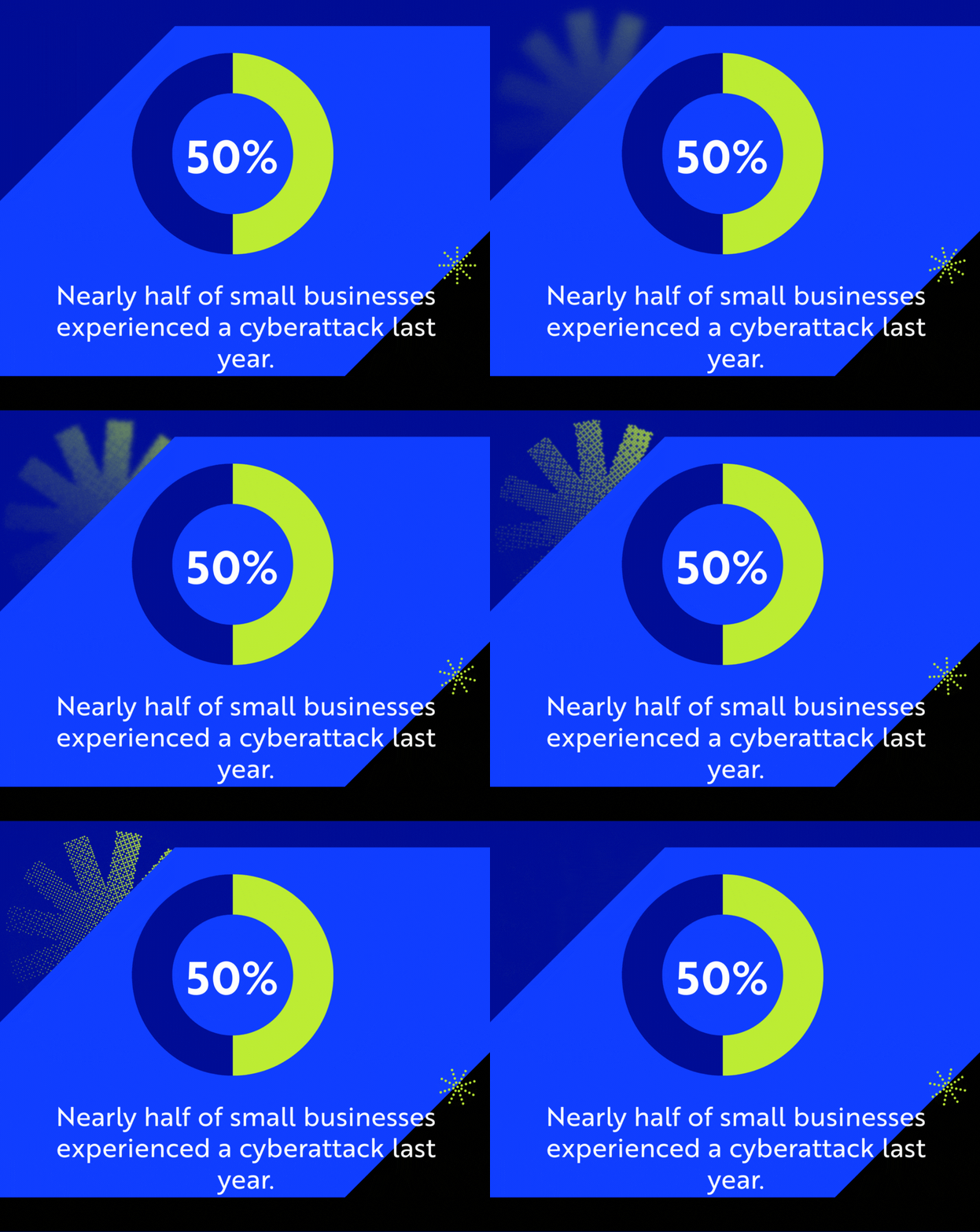
Studies back this up: nearly half of small businesses experienced a cyberattack last year, and those numbers continue to climb. Many thought they were too small to attract attention. The attackers thought otherwise.
How to Explain the $4.88 Million Breach Cost to Your CEO
Your CEO and CFO speak the language of finance. When you talk about "malware" or "vulnerabilities," their eyes glaze over. You have to translate technical risk into financial impact. The true cost of a cyber breach is significant.
Start with this number: $4.88 million.
According to the 2024 IBM Cost of a Data Breach Report, that's the average cost of a breach for businesses in the U.S. When your leadership balks at the cost of a new EDR solution or a SOC subscription, frame it as insurance.
Here is how you break down that $4.88 million figure for them:
- Detection & Remediation: The hard costs of digital forensics, expert consultants, and the overtime for your team to contain the crisis and rebuild systems.
- Lost Business & Downtime: Downtime translates to missed opportunities for serving clients and making sales. This is the single largest component of breach costs.
- Regulatory Fines: If you're in a regulated industry like healthcare (HIPAA) or finance (GLBA), the fines for non-compliance are a huge setback.
- Reputational Damage: This is the long-term, hard-to-quantify cost we'll cover next.
Bottom line is you have to speak to leadership in their language. Translate technical risk into financial exposure. “If ransomware takes down our ERP for two days, we lose $250K in orders and $100K in productivity.” This lands far better than “We need EDR licenses.”
Related Article: 10 Red Flags When Hiring A 24/7 Soc Provider
The Reputational Fallout: The "Trust Tax" You Pay After a Breach
Beyond the immediate financial hit, there is the "Trust Tax." This is the long-term damage done to your brand and customer relationships. Your legacy and reputation can't save you from this fallout.
In fact, 80% of small businesses report spending significant time rebuilding trust with clients and partners after an attack. Customers are wary of a company that can't protect their data. Partners are hesitant to connect their systems to yours. You'll face tougher questions during vendor assessments, and you may lose new business. You pay this tax years after the breach is "over."
When a Single Breach Means Shutting Your Business Down
For large enterprises, a breach is a crisis. For a growing business, it can be a death sentence.
Data from industry surveys shows that nearly 1 in 5 small businesses that experience a cyber attack end up filing for bankruptcy or closing their doors for good. Why? Because they can’t absorb the hit, financially or operationally.
Imagine losing access to your accounting system, customer records, or production schedule for a week. That's a cash flow crisis. Even with cyber insurance, the fine print rarely covers the full fallout.
Your job as IT Director isn't just to keep the servers running; it's to be the strategic partner who ensures the business can keep running, no matter what.
Managing The People Element: Your Greatest Challenge and Security Asset
Every IT director knows that no firewall or AI tool can compete with one distracted click. And yet, this isn’t about blame; it’s about behavior. People are unpredictable, especially when they’re juggling deadlines, multitasking, or trusting what looks legitimate in their inbox.
That’s why the “human element” is both your greatest challenge and your most powerful security asset. You just have to equip them.
Human Error is 95% of the Problem
The data is clear: human error causes an estimated 95% of breaches.
In most cases, employees don’t mean to put the business at risk. They’re just trying to get work done. It's a broad spectrum of well-intentioned mistakes:
- Emailing a sensitive file to the wrong "John Smith."
- Losing a company laptop or unlocked smartphone.
- Misconfiguring a cloud storage bucket and leaving it open to the public internet.
- Using the same password for their work login and a third-party fantasy football site that just got breached.
Attackers know this. They exploit our human tendencies like urgency, curiosity, and a desire to be helpful in order to gain access.
From "Weakest Link" to "Human Firewall": A Practical Cybersecurity Training Framework
The only way to combat this is by building a resilient security culture. This starts with moving beyond the "check-the-box" training that has failed you before.
Why Your Once-a-Year Employee Training Isn’t Working
If your security training happens annually, it’s already outdated. It's designed to satisfy a compliance requirement, not to change behavior. Here’s why:
- It's not engaging: Most "canned" training is boring and immediately tuned out.
- It doesn't build muscle memory: You can't learn to ride a bike by watching a video. You can't learn to spot a sophisticated phishing attack the same way.
- It's not timely: The threat landscape evolves weekly, and humans forget fast. An employee who learns about phishing in January has forgotten it by March.
Short, consistent micro-trainings work better. Ten-minute sessions every month outperform marathon seminars that put half the staff to sleep. Blend storytelling (“Here’s how a single click cost $50,000”) with hands-on examples (“How to spot the phish” or an “AI-generated Deepfake” exercise).
The Power of Continuous Phishing Simulations (That Don't Shame Employees)
When done right, simulated phishing campaigns are one of your most effective tools. The goal is to teach, not to shame.
A good program doesn't blast the entire company with a "You're Fired!" email. It's more subtle, and includes:
- Continuous Reminders: Small, random simulations are sent out year-round.
- Contextual Exercises: Use realistic scenarios (fake HR messages, vendor invoice attachments) and rotate them regularly. If a user clicks, they are immediately taken to a 90-second micro-training page that says, "You were just simulated! Here are the 3 red flags you missed."
- Positive Feedback: It tracks "reporting" as the key metric, not "failure." You reward the employees who use the "Report Phishing" button.
This approach builds that muscle memory, creating a vigilant "human firewall" that becomes your best, real-time threat detection system.
The Insider Risk You Can't Ignore
Not all threats come from outside. Some come from someone who already has keys to the kingdom. It's crucial to understand the two primary types.
The Accidental Insider (Mistakes, Misconfigurations, Shadow IT)
This is the most common insider risk. It's the well-meaning employee who just wants to get their job done.
- Mistakes: The "reply-all" that includes sensitive information or the lost laptop we mentioned.
- Misconfigurations: The engineer who spins up a new database for a "quick test" and forgets to secure it.
- Shadow IT: The marketing team that signs up for a new, unvetted AI tool or file-sharing service with their corporate credentials because the "official" way is too slow. They've just created a data leak you can't see or control.
The Malicious Insider (Disgruntled Employees, Stolen Credentials)
This is the more sinister, though less common, threat. It's the employee who intends to do harm, like a disgruntled worker stealing a client list on their way out the door.
But more frequently, this "malicious insider" isn't an employee at all. It's an attacker using an employee's stolen credentials. To your systems, they look like a legitimate, trusted user. This is precisely why the "trust but verify" model is dead, and why a "Zero Trust" model (which we'll cover later) is the only path forward.
A Deep Dive into Common External Cyber Threats
To build a strong defense, you have to understand the offense. Attackers are creative, but they are also lazy and will always follow the path of least resistance. Your job is to make that path as difficult as possible. This means understanding the most common cyber attacks.
Threat 1: Phishing, Spear Phishing, and Business Email Compromise (BEC)
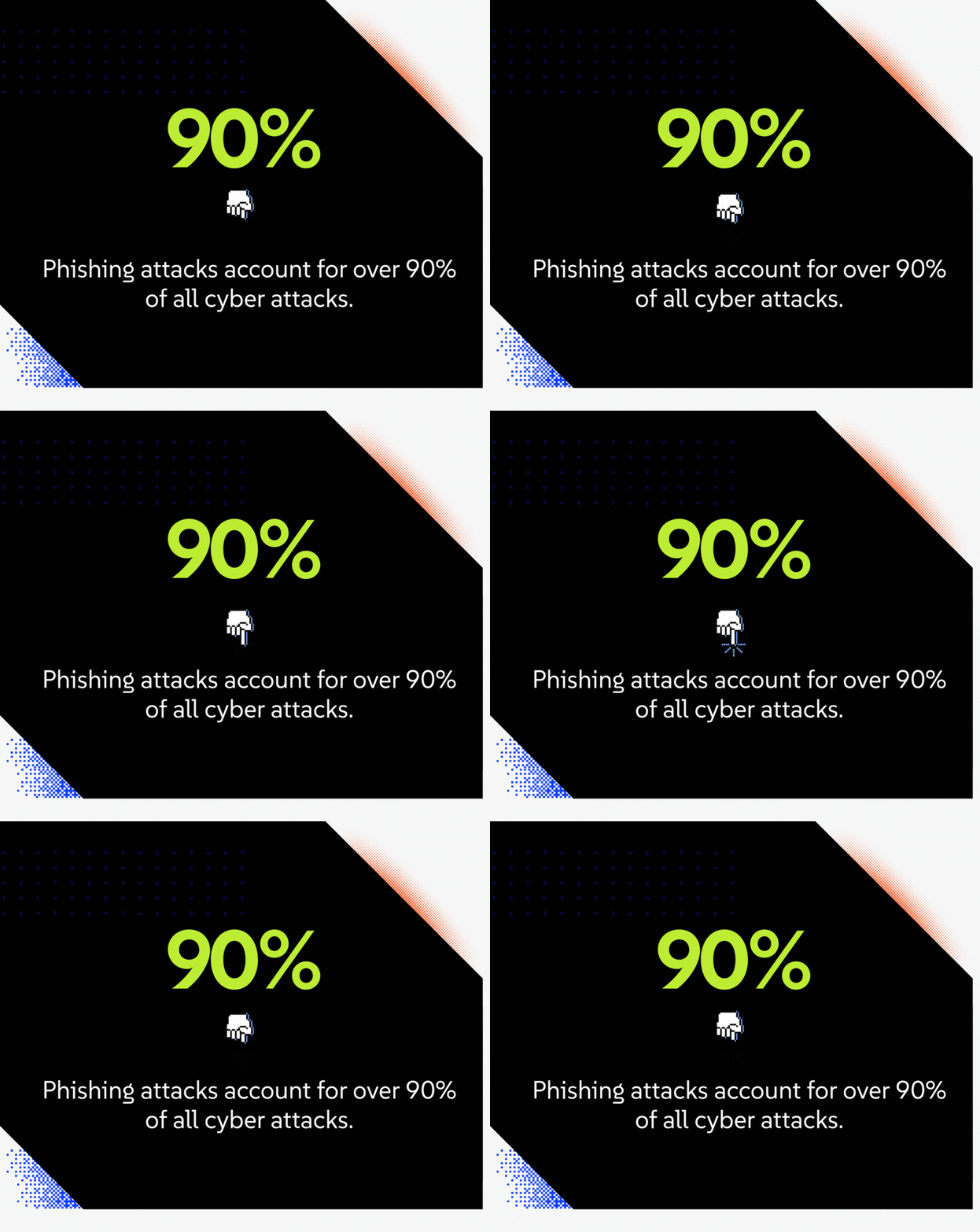
This is the #1 delivery vehicle for almost every other threat. Phishing is a type of social engineering where attackers use deceptive emails, texts, or messages to trick employees into giving up sensitive information, like passwords or credit card numbers. Phishing attacks account for over 90% of all cyber attacks.
- Spear Phishing: This is a targeted attack that appears to be from a trusted colleague or manager, often using information from LinkedIn or a company website to build believability.
- Business Email Compromise (BEC): This is the most damaging variation. The attacker impersonates a C-level executive (or compromises their actual account) and directs an employee in finance to wire money to a fraudulent account.
- Malicious Advertising (Malvertising): Cybercriminals use legitimate advertising networks to promote malicious websites.
How A Modern Phishing Attack Goes Down
Forget the "Nigerian prince" emails. Today's attacks are sophisticated. They use perfect grammar, copy company logos and email signatures, and leverage psychological triggers.
- Reconnaissance: The attacker finds your name, title, and your CEO's name from LinkedIn.
- The Lure: You receive an email that looks like it's from your CEO. The "From" field might be fake or come from a "cousin" domain (e.g., ceo@compas-msp.com).
- The Hook: The email creates urgency: "I'm in a meeting and need you to buy 10 Amazon gift cards for a client immediately. Just scratch off the back and send me the codes."
- The Catch: The employee, wanting to be helpful, complies. The money is gone.
How to Spot AI-Generated Phishing and Deepfake Vishing
The game continues to change. Attackers now use Generative AI to write flawless, highly convincing phishing emails at scale. They can also use AI-generated deepfakes to impersonate executives.
This leads to "vishing" (voice phishing), where an employee receives a phone call or voicemail from their "CEO" or "CFO" with an urgent, panicked request. This is why your "Human Firewall" training must include a policy to always verify high-risk requests via a separate, known communication channel (like an internal chat message or a call back to a known number).
Threat 2: Ransomware and Double Extortion
This is the threat that keeps IT Directors up at night. Ransomware is a type of malware that finds your critical data (documents, databases, backups) and encrypts it, locking you out of your own systems. The attackers then demand a ransom payment, usually in cryptocurrency, to give you the decryption key.
The average ransom payment has skyrocketed, now averaging around $1.5 million. Even if you pay, there is no guarantee you will get your data back.
How a Ransomware Attack Unfolds Step-by-Step
- Initial Access: It almost always starts with a phish. An employee clicks a link or opens a malicious attachment.
- Lateral Movement: The malware silently spreads through your network, moving from computer to server, hunting for the "crown jewels": your file servers, domain controllers, and backup systems.
- Data Exfiltration (Double Extortion): Before they encrypt anything, the attackers steal a copy of your most sensitive data. This is the "double extortion" play.
- Encryption: Once they have your data, they "detonate" the ransomware, encrypting everything.
- Ransom Note: You're hit with a ransom note. "Your files are encrypted. Pay us $1.5M." If you refuse, they will threaten to release all of your employee PII, client contracts, and financial data to the public."
The "To Pay or Not to Pay" Dilemma: A Framework for Your Incident Response Plan
Should you pay? That’s the million-dollar question (sometimes literally). Paying might restore access faster, but it also funds crime and doesn’t guarantee recovery. Your incident response (IR) plan must have a framework for this decision.
- Do you have viable, tested, offline backups? If yes, you have leverage. You can restore what’s been taken.
- Who do you call first? The answer should be: 1. Your legal counsel, 2. Your cyber-insurance provider, 3. Your retained digital forensics (IR) partner.
- Is it legal? Paying a ransom to a group on the U.S. Treasury's OFAC sanctions list is illegal and can result in massive fines, separate from the breach.
The C-suite must make the decision whether to pay or not, and they must do so with the guidance of legal counsel. Your job is to provide them with technical facts, like: "Our backups are 95% viable. We can be back online in 48 hours, but we will lose 4 hours of data."
Threat 3: Malware (The Malicious Software Spectrum)
Malware, short for malicious software, is the catch-all term for any software designed to cause damage or gain unauthorized access. Ransomware is one type, but there are many others.
Viruses, Worms, Trojans: Key Differences
These are the classic types of malware:
- Virus: Attaches itself to a legitimate file or program. It requires a human to execute that file to spread.
- Worm: A standalone program that self-propagates across a network, exploiting a vulnerability. This is far more dangerous, as it can infect an entire network in minutes without any human interaction.
- Trojan: Disguises itself as legitimate software (e.g., a "free PDF reader" or "system optimizer"). Once you run it, it opens a back door for other malware.
Spyware, Keyloggers, and Rootkits: The Silent Killers
These are the stealthy types of malware designed to hide and steal information.
- Spyware: Secretly gathers information by recording your screen, monitoring your web browsing, or capturing your webcam.
- Keyloggers: A specific type of spyware that does one thing: records every single keystroke. Its goal is to capture your usernames and passwords.
- Rootkits: The most dangerous. A rootkit is designed to gain "root" (administrator) access to a system while remaining completely hidden from the operating system and antivirus software.
Related Article: How Adversaries Leverage Advertisement Networks to Breach Your Network
Threat 4: Denial-of-Service (DoS/DDoS) Attacks
These attacks don't try to steal your data; they try to shut you down. A Denial-of-Service (DoS) attack floods your network or servers with traffic, overwhelming them and making your website or services unavailable to legitimate users.
A Distributed Denial-of-Service (DDoS) attack is even more powerful. It uses a "botnet,” a network of thousands of compromised computers (like IoT devices or home PCs), to launch the flood of traffic from all over the world, making it much harder to block. This is often used as an extortion tactic or as a "smokescreen" to distract your team while the attackers launch a separate, more surgical attack.
Threat 5: Supply Chain and Third-Party Attacks
This is the threat that should make you re-evaluate your vendors. A supply chain attack targets a less secure third-party vendor or software provider to compromise their more secure clients.
Why attack one company when you can attack the software everyone uses?
Why Your Vendor's Security Is Your Security
You're an IT Director. You use tools. You have an MSP, a payroll provider, a cloud-based CRM, and dozens of other SaaS applications. Each one of those vendors is part of your "attack surface."
- What if your payroll provider gets breached? The PII of every employee at your company is now on the dark web.
- What if your cloud-managed firewall vendor gets hacked? The attackers can push a malicious update to your firewall, giving them a key to your entire network.
This is no longer a theoretical threat. It's why a third-party risk management (TPRM) program isn't just for enterprises anymore. You must ask your vendors, "What do you do to protect my data?" Review their SOC 2s and ensure contracts include clear security obligations.
The Cyber Threat Hit List: Which Industries Are at The Highest Risk?
While all businesses are targets, attackers love industries where data is highly valuable and downtime is catastrophic. If you’re in one of these verticals, assume attackers already have you in their sights.
Healthcare (HIPAA)
The healthcare industry is a goldmine. Patient records (ePHI) have the most valuable data on the dark web; they're a complete identity theft kit, containing Social Security numbers, medical history, and insurance information. It’s no surprise that 92% of healthcare organizations experienced a cyber attack in 2024.
For the healthcare industry, downtime is more than just expensive; it’s devastating. Ransomware encrypting a hospital's patient record system can (and has) lead to canceled surgeries and diverted ambulances. The compliance penalties for a HIPAA breach add financial insult to this critical injury.
Related Article: HITRUST Certification: The Executive Guide to Risk, Trust, and Scalable HIPAA Compliance
Financial Services (GLBA, PCI)
The finance industry is a prime target for a simple reason: that's where the money is. Banks, investment firms, and credit unions are swimming in cash and sensitive financial data.
Attackers use every trick in the book to swipe funds, commit wire fraud, or gain unauthorized access to financial information. The compliance landscape is a minefield (GLBA, PCI, SOX, NYDFS), and a single breach can shatter client trust and attract intense regulatory scrutiny.
Manufacturing (Operational Technology & IIoT)
In 2024, manufacturing took the top spot for cyberattacks across industries. The reason is the rapid, and often insecure, convergence of IT (information technology) and OT (operational technology).
Your "network" is no longer just PCs and servers. It's now the PLCs on the factory floor, the IIoT (industrial internet of things) sensors, and the robotic arms. These OT systems were often designed decades ago without security in mind. For manufacturing companies, an attack that bridges the IT/OT gap can halt production, steal invaluable trade secrets and R&D, or even cause physical damage and worker safety issues.
For defense contractors, new CMMC compliance enforcement ties cybersecurity to government contract eligibility.
Legal Services (Client Privilege)
Law firms are a uniquely attractive target. They are data aggregators for their clients' most sensitive information: merger and acquisition plans, litigation strategies, patent filings, and personal client data.
A breach at a law firm isn't just a data leak; it's a fundamental violation of attorney-client privilege. The reputational fallout is catastrophic. Attackers know this and use it as leverage, making firms a prime target for ransomware and extortion.
The Good-Better-Best Approach: Prioritizing Your Security Stack on a Small Business Budget
You don't need a million-dollar budget to be secure. You need to be smart. Use this tiered approach to plan your roadmap.
Good (The Foundations):
This is your non-negotiable baseline. If you don't have this, you're a sitting duck.
- Next-generation firewall (NGFW)
- Strong email filtering
- Multi-factor authentication (MFA)
- Modern antivirus (AV)
- The 3-2-1 backup & recovery plan that’s tested
- A basic incident response plan
Better (The Modern Defense):
This is the stack for a mature small to mid-sized business. This is where you move from "prevention" to "detection and response."
- Everything in "Good"
- Endpoint detection & response (EDR)
- 24/7/365 SOC monitoring (via an MSSP)
- Continuous security awareness training (human firewall)
- Mobile device management (MDM)
- Vulnerability management & patching program
Best (The Resilient Enterprise):
This is the goal. A "Zero Trust" model that integrates security into the fabric of the business.
- Everything in "Better"
- A full zero-trust architecture (ZTA)
- Security information & event management (SIEM)
- Data loss prevention (DLP)
- Third-party risk management (TPRM) Program
- A vCISO (virtual CISO) to guide strategy and compliance
Make Your Business Case: How to Get C-Suite Buy-In for Security Spend
You can't get to the "Best" tier without a budget. Use this framework to ask for money.
- Don't Sell Security; Sell Business Enablement: Asking for $50,000 to pay for a new EDR solution isn't a strong pitch. Instead, say "The new remote work policy (a business goal) has increased our risk. To enable that policy securely, we need to protect our remote endpoints. This $50,000 investment protects us from the $4.88M average breach cost."
- Use Risk-Based Language: Talk in terms of Risk = Likelihood x Impact. For example, "The likelihood of a phishing attack is 'High' (we see 1,000 a week). The impact of a successful ransomware attack is 'Catastrophic' (1-2 weeks of downtime, $1.5M ransom). This investment in EDR reduces the impact from 'Catastrophic' to 'Minor.'"
- Benchmark Against Your Peers: "Our peers in the manufacturing space spend, on average, 6% of their IT budget on security. We are currently at 2%. This plan brings us in line with the industry-standard 'Good' model."
Now, let’s break down the layers of defense that will help build a strong cybersecurity strategy:
Layer 1: Network Security
This is your perimeter, your castle wall. It's focused on protecting your network from intruders.
Next-Gen Firewalls (NGFW) & Network Segmentation
Your firewall is the barrier between your internal network and the outside internet. But not all firewalls are created equal. An old "port-based" firewall is a screen door. A next-generation firewall (NGFW) is a bank vault. It provides application-aware filtering and deep packet inspection.
Just as important is network segmentation. Don't run a "flat" network where a compromised printer can talk to your domain controller. Segment your network into logical zones (e.g., Corporate, Guest, IoT, OT). If an attacker gets into one zone, the firewall keeps them out of the others.
Secure VPNs and the SASE Framework
A virtual private network (VPN) creates a secure, encrypted connection over a public network for your remote employees. It's a foundational tool.
But remote work has stretched the VPN model to its limit. The future is the SASE (secure access service edge) framework. SASE combines your network (like VPNs) and your security (like firewalls and cloud security) into a single, cloud-native service. It's a more secure, flexible, and efficient way to connect your hybrid workforce.
Layer 2: Endpoint Security
Every device on your network, from desktops to laptops and mobile devices, is an "endpoint." In a work-from-anywhere era, your endpoints are your new perimeter.
Why Antivirus Is Dead: The Case for Endpoint Detection & Response (EDR)
Traditional antivirus (AV) is dead. It works on a signature-based model and can only stop threats it already knows about.
Modern "fileless" attacks and zero-day exploits laugh at traditional AV. You need Endpoint Detection & Response (EDR). EDR is behavior-based. It doesn't look for known "bad files"; it looks for "bad behavior."
EDR sees the attack unfolding and stops it in real-time, then provides the forensic data you need to understand what happened. For small businesses, managed EDR solutions offer enterprise-level protection without the staffing burden.
Mobile Device Management (MDM) for a BYOD World
Here’s an IT Director's nightmare: employees accessing corporate emails and files on their unsecured and unpatched personal mobile devices. In a bring-your-own-device (BYOD) world, unprotected mobiles are one of the easiest ways attackers get in.
Mobile device management (MDM) is the solution. It allows you to enforce security policies on all devices by accessing your data, whether you own them or not. You can enforce a passcode, encrypt the device, and, most importantly, you have remote wipe capabilities if the device is lost or the employee leaves the company.
Layer 3: Cloud Security
With more small businesses moving to the cloud (like Microsoft 365, Google Workspace, AWS, or Azure), securing these environments is critical.
Know Your Role in the Shared Responsibility Model
Moving to the cloud doesn’t mean handing off responsibility. When you migrate to cloud, you enter a shared responsibility model, where cloud providers like Microsoft and Google secure the infrastructure, and you secure the data and configurations. In other words, Microsoft does not protect you from your own administrator clicking a phishing link. That's your job.
This means managing identity, enforcing MFA, monitoring logs, and setting proper access controls.
Secure Your M365/Google Workspace
These platforms are the backbone of collaboration for growing businesses. They are also prime targets for attackers. As the IT Director, you must:
- Enforce MFA on all accounts.
- Set up "Conditional Access" policies (for example, "Don't allow logins from outside the U.S. without MFA").
- Configure advanced email filtering and spam protection.
- Enable audit logging so you have a record of who did what.
Layer 4: Data Security
Ultimately, data is what attackers are after. Data security focuses on protecting the confidentiality, integrity, and availability of your sensitive data, both at rest and in transit.
Encryption (In-Transit and At-Rest)
Encryption is your data's last line of defense. It scrambles data, so it's unreadable to anyone without the correct decryption key. If an attacker steals an encrypted laptop, all they have is a paperweight.
- Encryption In-Transit: Protects data as it moves across the network (e.g., SSL/TLS for websites, VPNs for remote access).
- Encryption At-Rest: Protects data as it sits on a hard drive or server (e.g., BitLocker for Windows, FileVault for Macs).
The Principle of Least Privilege: Access Controls Done Right
This is a foundational pillar of data security and zero trust. The principle of least privilege means that employees should only have access to the specific data and systems they absolutely need to perform their jobs.
Your marketing intern should not be able to access the "Finance" folder. Your finance team should not have administrator rights to your servers. You implement these guardrails via access controls, also known as identity access management (IAM). It's a simple concept that is hard to maintain, but it's critical for containing the "blast radius" of a compromised account.
Data Loss Prevention (DLP)
Data loss prevention (DLP) tools are the "accidental insider" solution. A DLP policy can identify and prevent sensitive data from being improperly shared, transferred, or leaked.
It works by scanning outbound communications (like emails or file uploads) for patterns. If it sees a user trying to email a spreadsheet full of Social Security numbers to their personal Gmail account, it can block the email, alert the user, and notify you.
10 Cybersecurity Best Practices IT Directors Should Implement This Quarter
You're overwhelmed, so let's simplify your cybersecurity strategy. Focus on these 10 cybersecurity best practices to reduce your attack surface.
1. Enforce Multi-Factor Authentication (MFA) on All Critical Systems
If you do only one thing, make it this. MFA adds a vital security layer that requires multiple verification factors (e.g., password + smartphone code). According to Microsoft, MFA can block over 99.9% of account compromise attacks. It's the highest-impact, lowest-cost defense you can deploy. Start with your admins, then your M365/email, then your VPN.
2. Implement a 'Human Firewall' Program
Stop "check-the-box" training. Create short, frequent touchpoints (think automated phishing simulation and quick videos) to make security awareness feel like an ongoing conversation rather than a compliance drill. Teach your team how to spot and report phishing. Make it an engaging, year-round program, not a once-a-year chore.
3. Establish a Rigorous Patch Management Cadence
Attackers love old, unpatched software. It's a pre-built, public back door. Establish a process to regularly update all operating systems, applications (especially third-party like Adobe and Chrome), and security software. Automate these processes where possible to ensure nothing slips through. This is unglamorous, but it's fundamentally critical.
4. Create and Test "Immutable" Backup Strategy (The 3-2-1 Rule)
No security strategy is 100% bulletproof. A reliable backup is your safety net. Follow the 3-2-1 backup rule:
- 3 copies of your data
- on 2 different media types
- with 1 of those copies off-site and offline.
Make sure one copy is "immutable," meaning it can't be changed or deleted by ransomware. Just as important, test your backups regularly. A backup you haven't tested is just a "hope." Run a full restore drill once a quarter.
5. Develop Your 1-Page Incident Response (IR) Plan
When a breach happens, you won't have time to read a 50-page binder. Create a 1-page "in case of fire" plan that answers the most critical questions.
Who Do You Call? (Legal, Cyber-Insurance, MSSP)
This is the most important part of your incident response plan. It should be a call list, in this order.
- Legal counsel (your cyber lawyer, not your corporate one)
- Your cyber insurance provider (to report the claim)
- Your IR/Forensics partner
- Key internal executives (CEO, CFO, PR).
This list should have everyone’s names and cell phone numbers.
Run a Tabletop Exercise (Not a 3-Day Drill)
Practice the plan with leadership once per quarter. This doesn't need to be a 3-day affair. Even a one-hour tabletop session can expose gaps in communication and decision-making. Walking through this before the crisis is invaluable.
6. Lock Down Identity: Implement Strong Access Control (IAM)
Go back to the principle of least privilege. Audit who has access to what, and implement identity and access management (IAM). This means centralizing your user accounts (e.g., in Azure Active Directory) and enforcing access rules. No one should be a "Domain Admin" for their daily work.
7. Deploy Advanced Email Filtering
Your M365 or Google spam filter is not enough. You need an advanced, "defense-in-depth" email security solution that sits in front of your mail server. These tools are far more effective at catching sophisticated phishing, BEC, and malware-laced attachments before they even reach your users' inboxes.
8. Conduct a Baseline Vulnerability Assessment
You can't protect what you don't know you have. Run a baseline vulnerability scan (internally and externally) to identify all your assets and their known vulnerabilities. This will be the (likely terrifying) list that helps you prioritize your patching and security projects for the next six months.
A baseline gives you a starting point. Continuous threat exposure management turns that one-time scan into a repeating cycle of discovery, prioritization, and repair.
9. Create Your Core IT Security Policies (Acceptable Use, BYOD, etc.)
You can't hold employees accountable if you never give them guardrails. Work with HR to create and socialize a few core policies.
- Acceptable Use Policy (AUP): What employees can and can't do on company devices.
- BYOD Policy: The security rules for using personal devices for work (must have MDM, must be encrypted).
- Password Policy: (e.g., "Must use MFA," not "Must change every 90 days").
10. Start Your Third-Party Risk Management (TPRM) Program
This doesn't have to be complicated. Start with a simple spreadsheet that lays out:
- Every vendor and SaaS tool you use
- Type of data those tools have access to (High/Medium/Low sensitivity)
- If you have vetted their security (e.g., "Do they have a SOC 2 report?")
This simple exercise will reveal your supply chain risk and help you focus on your high-risk vendors. Also, review contracts with your vendors for security obligations and request attestations annually.
Cybersecurity Trends Every CISO Has on Their Radar
Cybersecurity isn’t static. What protected you last year might be your biggest blind spot tomorrow. Let’s look at the biggest shifts shaping the next phase of defense.
The Zero Trust Revolution: "Never Trust, Always Verify"
The old security model was a castle with a moat: a strong perimeter (firewall) protecting a soft, squishy, "trusted" internal network. That model is dead because the perimeter is gone. Your "network" is now in coffee shops, home offices, and cloud data centers.
The zero-trust approach is your new model. The philosophy is simple: "Never trust, always verify." It assumes every user, device, and network connection is a potential threat until proven otherwise.
Core Principles of a Zero Trust Architecture (ZTA)
Zero trust isn't a single product you buy; it's a strategic model.
- Identity is the perimeter: Access is granted based on who you are (authenticated identity), not where you are (on the "internal" network).
- Least privilege access: You only get access to the specific application you need, for the time you need it, and nothing more.
- Assume breach: You operate as if an attacker is already inside. This leads to micro-segmentation, continuous monitoring, and logging everything.
Artificial Intelligence: The $1.8 Million Double-Edged Sword
AI is the new arms race. The 2024 IBM breach report found that companies that used AI in their security measures saw their average breach costs drop by roughly $1.8 million compared to those that didn’t.
But it's a double-edged sword.
How Attackers Use AI and How You Can Fight Back
- Attackers: They use GenAI to write perfect phishing emails, create polymorphic malware that changes its own code to evade AV, and generate deepfake voice and video for vishing and BEC attacks.
- Defense: You can use AI and machine learning to power our EDR and SIEM platforms. AI is brilliant at anomaly detection, sifting through billions of logs to find the one signal that matters. It can spot a compromised account based on behaviors that no human analyst could ever catch in real-time.
Your organization must fight fire with fire, embracing defensive AI to outsmart AI-powered attackers. This includes leveraging secure, compliant AI enablement and automation strategies to make your team more effective. In fact, 57% of organizations say AI has helped improve their security posture.
The Rise of Cyber Insurance: What It Covers (And What Your Policy Requires)
Cyber insurance is a non-negotiable part of your risk management. It's designed to cover the costs of a breach: forensics, legal fees, notification costs, and even the ransom.
But here's the "gotcha" for IT Directors: Your policy is not a "get out of jail free" card. It's a contract with fine print requiring you to have due diligence and certain security measures in place.
If you get breached and your insurance underwriter discovers you didn't have MFA on your domain controllers, or you hadn't patched that critical vulnerability six months ago, they will deny your claim. Your policy now dictates your security baseline.
The $5.74 Million Talent Gap: Know Your Options
This may be your single biggest, most frustrating problem. You know what you need to do. You just don't have the people to do it. You've had a "Security Analyst" role open for six months. You can't compete with enterprise salaries. You can't find talent. And you definitely don't have the budget to build a 24/7/365 team.
Why You'll Never "Fill the Role"
You are not alone. The World Economic Forum predicts a shortage of 85 million cybersecurity workers by 2030. The talent pool is dry, and the competition is fierce. For a small business, "just hire" is not a strategy.
Understaffed Security Teams Pay the Highest Price
This talent shortage has a direct, measurable financial cost. The 2024 Cost of a Data Breach Report showed that companies with a shortage of security talent paid an average of $5.74 million after a breach.
Why? Because threats slip through the cracks. People miss alerts. They delay patches. Your team is too busy firefighting to be strategic. The skills gap is a risk multiplier.
Bridging the Gap: The Strategic Role of a Managed Security Services Partner (MSSP)
If you can't hire the talent, you must subscribe to it. This is the strategic value of a Managed Security Services Partner (MSSP).
With demand for managed services set to grow 10% annually, MSSPs and cybersecurity consultants are ready to fill the gaps, providing enterprise-level expertise at a fraction of the cost.
An MSSP gives you immediate access to a "force-in-a-box":
- A 24/7/365 U.S.-based Security Operations Center (SOC) to monitor your network.
- The multi-million dollar technology stack (like a SIEM) that you could never afford to build or staff.
- The team of expert analysts who triage alerts and hunt for threats while you sleep.
The Co-Managed IT (Co-MITs) Model: Augment Your Team, Not Replace It
Now, let's address the fear: "Is a partner going to make me irrelevant?"
No, not with the co-managed IT (Co-MITs) model, which is the future for internal IT Directors. This isn't about replacing you; it's about amplifying your capabilities. Think of it this way:
- Your partner handles the 24/7 noise: the alert triage, the patch management, the help desk tickets.
- You get your time back to focus on the high-value, strategic work: the cloud migration, the business process automation, and sitting in the leadership meeting as the strategic enabler.
Your IT partner becomes your team of 24/7 specialists and your force multiplier. Together, you create a unified defense that scales without overextending your staff. This allows you to go from firefighter to architect. Instead of reacting to issues, you design the systems that prevent them.
vCISO vs. MSSP vs. MSP: Choosing the Right Partnership Model
It's a confusing alphabet soup (a lot of cybersecurity is, to be honest). Let's clarify.
- MSP (Managed IT Services): Your IT partner. They are your helpdesk, manage your servers, and keep the systems running.
- MSSP (Managed Security Services): Your security partner. They are your 24/7 SOC, monitoring for threats, managing your EDR, and responding to incidents.
- vCISO (Virtual Chief Information Security Officer): Your strategy partner. This is an executive-level consultant who provides high-level governance and strategy. They build your security roadmap, manage your compliance (HIPAA, CMMC, etc.), and help you make the business case to the board.
For some organizations they need all three of these. Others can blend them. The right model depends on your maturity, size, budget, and in-house skill set. Regardless, the goal is still the same: close your gaps (technical, operational, and strategic) without burning out your team or through your budget.
From Overwhelmed IT Director to Strategic Business Enabler
The road for an IT Director at a small to mid-sized business is tough, especially when the mantra is always "do more with less." The cybersecurity landscape is complex and unforgiving, and cybersecurity trends are ever-changing, but you don't have to face it alone.
Stop Being the "Fire Department." Start Being the "Architect."
Right now, you're probably more "fire department" (reactive) than "architect" (strategic). A partnership model flips that ratio. By offloading the reactive, 24/7 noise to a partner, you free yourself to build systems that adapt and policies that scale. You can finally get to implementing that IT modernization project, that AI enablement strategy, and that cloud roadmap that will actually move the business forward.
Gain a Partner That Helps You Do More with Less
At CompassMSP, we get it. We know what it’s like to juggle tickets, justify budgets, and try to sleep while your SOC alerts keep buzzing. That’s why our approach is built for collaboration, not control.
We work alongside IT directors to implement practical cybersecurity solutions that strengthen security posture, close visibility gaps, and provide real human expertise where automation can’t. Compass provides 24/7/365 U.S.-based support, deep vertical expertise in compliance, and executive-level vCIO and vCISO advisory that's built into every engagement.
When you work with Compass, you don’t hand off your systems. You gain a partner who helps you run them better.
Put Your Playbook into Action
This playbook is your starting point. The next step is to apply it to your unique environment. We can help you do just that. We start with a baseline assessment, identify your "Good-Better-Best" priorities, and build a practical roadmap that aligns with your business goals and budget.
Get in touch with our team to learn how we can give you peace of mind by safeguarding your sensitive data and systems.

Brian Bennet
Brian is a Security Architect at CompassMSP and military combat veteran with 22 years of IT experience spanning the public sector, government contracting, managed services, and executive cybersecurity leadership. He has served as an Information Systems Security Manager for a global aerospace company—where he secured classified and unclassified assets under NISPOM, NIST, and ITAR frameworks and established a classified asset security program from conception through ATO—as well as a vCIO and CISO/vCISO, guiding organizations ranging from 10 to over 1,000 employees through security strategy, framework implementation, audits, and incident response engagements including ransomware events. Brian holds certifications from ISC2, Cisco, Microsoft, VMware, and CompTIA, and draws on his progression from hands-on engineering to the C-suite to drive meaningful security conversations.