

Go Back Up

MANAGED IT, THE COMPASS WAY

Connect The Work Behind Your Business

Managed IT at Compass connects the people supporting your users, the systems running your business, the vendors behind those systems, the security protecting them, and the strategy guiding what comes next.

What one owner changes

The Same Incident, Two Delivery Models

Every handoff adds time, questions, and another place for follow-through to stall. When Managed IT and cybersecurity share context and ownership, the work can move from finding the problem to fixing it without making your team coordinate the middle.


Disconnected Delivery

Your team coordinates separate providers.

  1. Security Sends an Alert

    The finding reaches your inbox without an assigned IT action.

  2. Your Team Opens a Ticket

    You forward the alert and explain the impact to the IT provider.

  3. Providers Exchange Questions

    Missing context moves back and forth before someone can act.

  4. Another Provider Supplies Access

    The consultant managing the identity platform joins the response.

  5. The Account Is Disabled

    The immediate access issue stops. Corrective work still remains.

  6. Recommendations Change Hands

    Security documents the fix. Your team must get it assigned and scheduled.

Recommendations Still Pending

No shared owner verifies that the underlying fix is complete.

Where Follow-Up Can Stall

Each provider can finish its assigned task while corrective work remains between scopes. Your team still has to coordinate approval, implementation, and verification.


CompassMSP

One accountable partner connects the work.

  1. Validate and Coordinate Containment

    Security and IT teams use shared account context to coordinate authorized action.

  2. Assign and Implement the Fix

    Findings become approved corrective work for the team responsible for your environment.

  3. Verify Changes and Track What Remains

    Compass checks completed work and carries outstanding actions into the next planning cycle.

Approved Changes Implemented

Compass verifies completed work and tracks remaining actions.

How Follow-Through Works

Compass Command Center account intelligence connects findings with environment documentation and delivery responsibilities. Teams implement approved changes within scope and use the results to inform the next plan.

Illustrative workflows showing handoffs and ownership. These grouped activities illustrate delivery responsibilities. The Compass example assumes the relevant Managed IT and cybersecurity services with agreed response authority. Additional projects require separate scope and approval; incident response beyond the included scope requires a separate retainer-based engagement.


The Compass Customer Experience

Your Success Stays at the Center

Your priorities set the direction. We keep the people, planning, communication, and follow-through moving around them.

Your Business at the Center ACCOUNT TEAM vCIO + TAM ONBOARDING + SUPPORT

Structured onboarding by phase

Start with everyone on the same page.

Your onboarding team establishes the environment, priorities, responsibilities, and working rhythm behind the relationship so your team knows what is happening and who owns what from the start.

See how onboarding takes shape
Phase 01
Understand your environment, business priorities, technology needs, and responsibilities.
Phase 02
Transition services, organize documentation, establish support workflows, and validate the foundation.
Phase 03
Set priorities, establish reporting, and connect what we learned to your technology roadmap.
Explore Fully Managed IT

A living 12–24 month technology plan

Know where your technology is headed.

Your vCIO connects technology gaps, lifecycle needs, business priorities, budgets, and Secure AI opportunities into a roadmap that evolves as your business changes.

See what shapes your roadmap
Business Priorities
Growth plans, operational needs, workforce changes, and upcoming initiatives.
Technology Needs
Lifecycle requirements, recurring issues, technical gaps, and modernization opportunities.
Budget Planning
Expected investments, project timing, renewals, and future technology decisions.
Secure AI
AI opportunities, data access, governance, security, and readiness for responsible adoption.
Explore IT Modernization

vCIO + TAM + service desk + account management

A whole team is invested in your success.

Your vCIO, Technical Account Manager, service desk, and account team share context around your environment, priorities, and goals so day-to-day support stays connected to the bigger picture.

Meet the teams behind your experience
Service Desk
Supports your people, resolves day-to-day issues, and surfaces patterns that need broader attention.
Technical Account Manager
Connects technical health, recurring issues, and operational priorities to the work that needs to happen next.
vCIO
Connects business goals to technology strategy, roadmap priorities, budgets, and future investment.
Account Management
Keeps communication, priorities, ownership, and follow-through visible across the relationship.
Talk to Compass About Your IT Team

QBRs + advisory boards + workshops + networking

Stay connected to what matters next.

The relationship continues well beyond support tickets. Quarterly reviews keep your plan moving, while Customer Advisory Boards, peer workshops, technology briefings, and networking create more ways to learn, contribute, and stay connected to Compass.

See how the relationship keeps evolving
Quarterly Business Reviews
Review performance, roadmap priorities, upcoming decisions, and progress against the plan.
Customer Advisory Boards
Share industry priorities and provide input that helps shape future Compass services and capabilities.
Peer Workshops + Technology Briefings
Explore practical technology questions, emerging capabilities, and new approaches with Compass experts and other customers.
Customer Networking
Build relationships and exchange ideas with business and technology leaders facing similar challenges.
Ask About the Compass Customer Experience

Shape fully managed or co-managed IT around your team. Essentials security is included, with additional cybersecurity and advisory capabilities available as your needs grow. Projects are scoped and billed separately.

Explore Secure AI & AI Enablement

RAISE YOUR EXPECTATIONS

Your IT Should Pull Its Weight

Managed IT should give you more control over costs, stronger protection, reliable performance, and direct access to people who actually know your environment.
  • +
    audit-compliance

    Predictable Operational Costs

    A flat-fee support model makes IT spending easier to plan and reduces surprise expenses.

  • +
    risk-compliance

    Proactive Infrastructure Protection

    Continuous monitoring, patching, and endpoint protection help keep the environment protected and current.

  • +
    policy-compliance

    Optimized System Performance

    Systems stay maintained, connected, and ready to support the people relying on them every day.

  • +
    training-compliance

    Direct Expert Access

    You get people who understand your environment and business instead of starting every conversation from a ticket number.

audit-compliance risk-compliance policy-compliance training-compliance

TWO WAYS TO WORK WITH COMPASS

Run Day-to-Day or Expand Your IT Team

Choose the model based on how much day-to-day IT responsibility your organization wants Compass to carry. Both models use the same operating discipline, account context, security baseline, and strategic approach.
gray-bg-white-elements

OPTION 01

Fully Managed IT

Compass takes responsibility for the supported day-to-day IT environment, from user support and infrastructure operations to vendor coordination and technology planning.

Built for organizations that:
Want an accountable partner to carry out daily IT operations instead of building or expanding an internal IT function. 

  • 24/7 service desk and end-user support
  • Endpoint, server, and network management
  • Patch and vulnerability management
  • Backup monitoring and recovery testing
  • Microsoft 365 and cloud administration
  • Vendor management and procurement
  • Dedicated vCIO and technology roadmap
  • Onboarding and offboarding workflows
gray-bg-white-elements

OPTION 02

Co-Managed IT

Your internal IT team stays in place while Compass takes on agreed responsibilities, adds specialist expertise, extends coverage, and provides capacity where your team needs it.

Built for organizations that:
Have internal IT leadership or staff and need more capacity, broader coverage, specialist depth, or clearer division of responsibility.

  • After-hours and overflow service desk coverage
  • Specialist depth in cloud, network, and security
  • Patch and vulnerability management at scale
  • Documented escalation paths and joint playbooks
  • Project delivery your team lacks bandwidth for
  • Tooling your team would not buy alone
  • vCIO partnership for your IT leader, not instead of them
  • Coverage during leave, turnover, and hiring gaps

ma-it-due-diligence-hero

M&A IT Integration

Bring Experience to Every Stage of IT Integration

Mergers and acquisitions create technology decisions that extend well beyond closing day.

CompassMSP brings experience supporting M&A IT integration, helping organizations assess acquired environments, stabilize operations, consolidate systems and vendors, strengthen security, and build a practical path toward a unified technology environment.

Because our teams can support both diligence and post-close operations, the priorities identified during the transaction can carry directly into integration and ongoing managed IT without starting the discovery process over.


Measurable Outcomes From Strategic IT Investments

Investing in managed IT is a strategic move.

While your competitors scramble to patch holes, our managed IT services give you the breathing room you need for aggressive growth. You gain the advantage of a national-scale technical bench at a fraction of the cost of building it yourself.

padlock-shield
21% Drop Proactive organizations experience a major drop in the time required to recover from security breaches. IBM

Proactive organizations experience a major drop in the time required to recover from security breaches. IBM

pie-chart
243% ROI Managed IT and automation investments provide a massive financial return by eliminating hidden operational costs.Forrester

Managed IT and automation investments provide a massive financial return by eliminating hidden operational costs.Forrester

target
50% Gain Executive IT advisory leads to a significant increase in the accuracy of digital transformation and budget forecasting. KPMG

Executive IT advisory leads to a significant increase in the accuracy of digital transformation and budget forecasting. KPMG

dashboard-gauge-2
5x Velocity Companies that leverage external expertise complete their technology planning cycles five times faster than those relying solely on internal staff. KPMG

Companies that leverage external expertise complete their technology planning cycles five times faster than those relying solely on internal staff. KPMG


Built Around Your People Instead Of Your Tickets

We provide the high-touch technical care that keeps your workforce productive and your internal team focused on high-level goals.

Our service desk offers immediate access to engineers who understand your specific environment and your business priorities. By resolving technical friction points quickly, we ensure your staff stays supported, and your IT leadership stays out of the reactive ticket cycle.

Global Technical Bench

Access a deep pool of engineering talent across our U.S. and Philippine operations. This model ensures that high-level expertise is always available to handle complex troubleshooting or routine requests without the delays of a single-region helpdesk.

True 24/7/365 Coverage

Technology issues do not respect time zones. Our global footprint allows us to provide seamless, around-the-clock support that keeps your business running while other providers are asleep. We ensure that critical issues are addressed the moment they arise.

Proactive Ticket Remediation

We do more than just fix what is broken. Our team analyzes global ticket trends to identify recurring issues in your environment. This allows us to implement permanent fixes that reduce the overall volume of support requests and improve your total uptime.

Logistics & Transportation IT

The supply chain never sleeps, and neither can your IT. For logistics and transportation companies, real-time data is critical. We secure the fleet management systems, warehouse connectivity, and tracking software that keep your goods moving. Our support ensures that dispatch, drivers, and distribution centers stay synchronized, protecting your delivery timelines and your bottom line.


HowtoChooseMSPChecklist

FEATURED RESOURCE GUIDES + CHECKLISTS

Most Expensive Person in Your IT Department Is You.

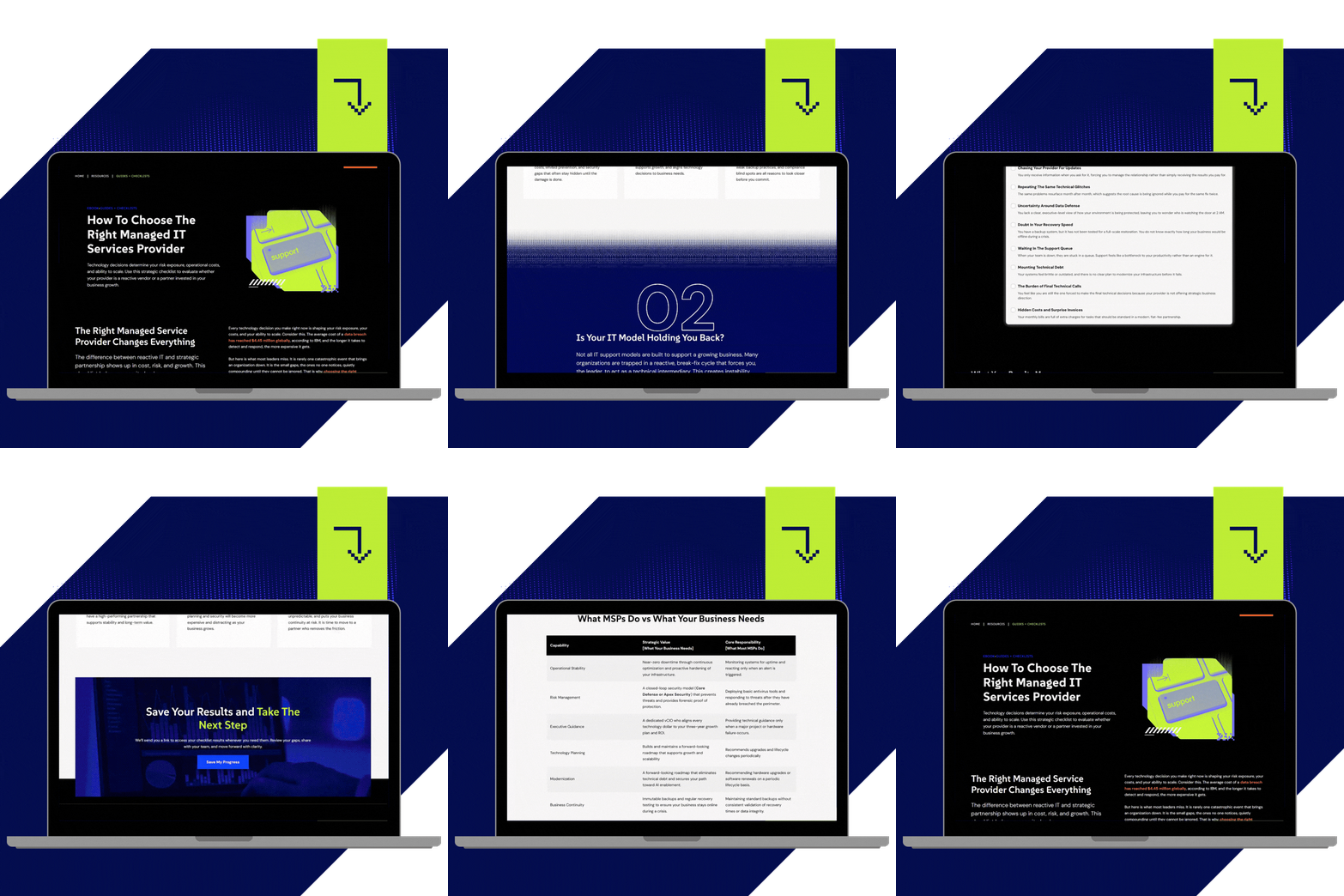
Use this MSP checklist to evaluate risk and choose a partner before small gaps become big problems.

Most providers promise support. Few take ownership. This interactive guide and checklist walks you through the real indicators of a high-performing MSP, from proactive support and embedded security to executive-level guidance and accountability. It helps you identify hidden gaps, pressure-test your current provider, and see whether your technology is truly supporting your business or quietly holding it back. By the end, you will have a clear picture of where you stand and what needs to change to move forward with confidence.

From Investment to Impact.

Investing in IT support is the ultimate power move.

While everyone else scrambles to patch holes and put out fires, high-growth companies prioritize managed IT services. They get enterprise-level expertise at a fraction of the cost, and the results speak for themselves: 
share-time
99% Uptime Your operations stay consistent. Your customers stay confident.

Your operations stay consistent. Your customers stay confident.

time-lapse
15-Min Average response time allows you to get real help from real engineers fast.

Average response time allows you to get real help from real engineers fast.

user-sticker-square
97% Client satisfaction proves that we build long-term relationships based on reliability.

Client satisfaction proves that we build long-term relationships based on reliability.

STRATEGY BUILT INTO THE RELATIONSHIP

IT Consulting With vCIO Guidance

Compass includes vCIO guidance in your managed IT relationship to connect technology decisions with your business priorities, budget, and long-term plans.

Compass’s vCIO team provides ongoing IT consulting, helping your leadership team evaluate investments, prioritize improvements, and maintain a technology roadmap. Regular reviews keep that plan aligned with changes in your business and IT environment.
The team coordinates with vCISO advisory when decisions require deeper security and risk expertise. Modernization projects and implementation work follow a separate scope and budget.

Technology roadmap + lifecycle planning
Hardware refresh, license consolidation, and end-of-life planning mapped to budget cycles rather than surfaced as surprises.
Budget forecasting + business case support
Capital and operating projections leadership can approve, with the reasoning attached.
Quarterly + strategic business reviews
Uptime, response times, ticket trends, project status, and risk posture, translated into business impact.
Technical debt reduction
A ranked plan for the legacy systems generating the most tickets, cost, and exposure.
Vendor + contract oversight
One accountable owner across your technology suppliers instead of a stack of renewal dates.


compliance-risk-security-hero

INDUSTRIES WE SUPPORT

Managed IT That Fits the Way Your Industry Works

Compass meets you where you are with Managed IT and security services shaped around your environment, regulatory requirements, and business goals. We account for the operational realities that affect how your technology needs to perform:

  • Regulatory and compliance requirements
  • Uptime and business continuity expectations
  • Specialized applications and infrastructure
  • Workforce, location, and connectivity needs

FEATURED RESOURCES

Build a Clearer Picture of Your Security Needs

Stay sharp. Stay secure.

Explore practical guidance on threat detection, incident response, and evaluating MDR services to help your team make informed security decisions.
Managed IT Agreements That Scale: What to Review Before Your Next 100 Hires

IT Modernization Articles Managed IT 8 min read

Managed IT Agreements That Scale: What to Review Before Your Next 100 Hires

Growing from 80 to 200 employees? Learn the contract terms, security provisions, and SLAs that separate a scalable MSP agreement from one you'll outgrow.
Your IT Provider Was Breached: What to Do in the First 24 Hours

Cybersecurity Articles Managed IT 6 min read

Your IT Provider Was Breached: What to Do in the First 24 Hours

Learn how to respond effectively if your managed service provider is breached. Follow crucial steps to protect your data and limit risk in the aftermath.
Managed IT for Cybersecurity Compliance: What Regulated SMBs Need in 2026

Compliance & Risk IT Modernization Articles Managed IT 11 min read

Managed IT for Cybersecurity Compliance: What Regulated SMBs Need in 2026

In 2026, phase-in periods ended and enforcement went live across HIPAA, NYDFS Part 500, PCI DSS, and CMMC. Here is how managed IT keeps regulated SMBs audit-ready.

FAQs

Clarity About Our Managed IT Services

Choosing a managed IT partner is a strategic decision that affects uptime, security, compliance, and long-term growth. Business and IT leaders evaluating a managed IT partner ask these questions most often.

What are managed IT services?

 Managed IT services provide ongoing operation, support, monitoring, and planning for your technology environment through an agreed service scope. CompassMSP covers service desk support, endpoint and server management, patching, backup monitoring, network and cloud administration, vendor coordination, and technology planning through a dedicated vCIO. Essentials, the Compass security baseline, is included with Managed IT. Explore fully managed IT support or co-managed IT support to see how responsibilities can be structured. 

What is the difference between fully managed IT and co-managed IT?

Fully managed IT gives Compass responsibility for the day-to-day operation of your supported environment. It suits organizations without internal IT or those looking to shift operational work off their team. Co-managed IT adds capacity and expertise alongside your existing staff, such as after-hours coverage, cloud administration, or patch management. Both use shared account intelligence and the same delivery model, with responsibilities clearly defined in your agreement. Project delivery is scoped separately. 

What is closed-loop delivery and why does it matter?

Closed-loop delivery connects planning, implementation, operations, response, and improvement through one accountable partner. Compass follows five phases: Understand, Build, Operate, Respond, and Strengthen. Findings become assigned actions, completed work is checked, and remaining priorities inform the next planning cycle. Compass Command Center provides the operating model and shared account intelligence behind that coordination. Where another provider retains responsibility, Compass coordinates the handoff within the agreed scope.

This emphasis on learning from incidents is consistent with NIST’s guidance on integrating incident response into cybersecurity risk management.

Why buy cybersecurity from the same partner that runs my IT?

Because security findings need an operational owner who can act on them. When Compass provides both Managed IT and managed detection and response, security analysts and IT teams share account context and coordinate authorized containment and corrective work. Findings can inform patching, configuration changes, and the technology roadmap. That connection reduces the coordination burden on your team while keeping access, approvals, and service responsibilities clearly defined. 

Is security included in managed IT, or is it extra?

 Essentials, the CompassMSP security baseline, is included with Managed IT. It provides security hygiene and protection, patching, backup oversight, telemetry, and a defined escalation path. It does not include the dedicated 24/7 SOC service available through Core Defense. Organizations needing deeper investigation, continuous forensics, and proactive threat hunting can select Complete Security through the Apex Security Platform. Incident response beyond the included detection and response scope requires a separate retainer-based engagement. 

How do Managed IT services help close security gaps?

Managed IT services help close security gaps through current asset inventories, patch management, access controls, configuration changes, and recovery testing. These activities support continuous threat exposure management (CTEM), an ongoing process for identifying weaknesses, prioritizing risk, testing defenses, and completing corrective action.

CompassMSP connects IT operations with cybersecurity through a closed-loop model. Security findings reach the people responsible for the affected systems, with clear ownership for remediation and verification. In a co-managed environment, CompassMSP coordinates those responsibilities with your internal IT team.

Read how continuous threat exposure management helps small and mid-sized businesses find and close security gaps.

Where is your support team located?

 CompassMSP’s SOC is 100% U.S.-based for detection, triage, investigation, and containment. Managed IT service desk and engineering teams operate a blended U.S. and Philippine follow-the-sun model. These are distinct delivery functions: the SOC location does not describe every Compass employee or service. Compass also provides regional support through its U.S. locations, with on-site availability determined by your location and agreement. 

How does a vCIO help with IT budgeting and planning?

 A dedicated vCIO connects technology decisions to your business priorities and budget. That includes maintaining your roadmap, forecasting refresh and renewal costs, prioritizing technical debt, and reviewing service performance and risk with leadership. The goal is to make upcoming investments visible early enough to plan for them. Compass includes vCIO planning in its Managed IT engagement; implementing modernization projects is separately scoped and billed. Explore IT modernization services for the work that puts those plans into practice. 

What is included in 24/7 monitoring and response?

 Operational monitoring watches supported systems for issues such as failed backups, low disk capacity, or service interruptions. Alerts are handled according to their priority, your coverage, and the agreed escalation process. Dedicated 24/7 security monitoring is a separate capability delivered through Core Defense or a higher Apex tier. It combines AI-assisted triage with human analyst validation and coordinated response. Your agreement defines acknowledgment targets, response authority, and the actions included. 

How long does onboarding take?

 Onboarding timing depends on your environment, available documentation, access requirements, and coordination with your current providers. Compass begins with discovery, documentation, tool deployment, and confirmation of support responsibilities. That work establishes the shared operating baseline used by your delivery teams. Your onboarding plan defines milestones, the support start date, transition coverage, and any outstanding dependencies. Discuss your transition with Compass to establish a timeline for your organization. 

Can managed IT help with regulatory compliance?

Yes. Managed IT can support technical controls and the records used to demonstrate their operation, including patch history, backup checks, configuration records, and incident documentation. Compass’s Compliance & Risk Management practice provides separately scoped assessments, readiness support, remediation planning, and audit preparation. Managed IT alone does not establish compliance or replace an independent assessment or certification.

Requirements depend on your organization and obligations. For example, the HIPAA Security Rule requires administrative, physical, and technical safeguards for electronic protected health information. Technology management supports part of that work; governance and organizational responsibilities also matter.

Do you work with our existing tools and vendors?

 Compass evaluates your existing platforms during discovery and confirms which systems can be supported within the engagement. This includes environments using Microsoft 365 and cloud and infrastructure services. Where a tool creates a supportability, security, or integration gap, Compass explains the recommended change and its business case. Vendor coordination is included within the agreed scope, while third-party contracts, licensing, and vendor response commitments remain separate. 

How do you handle technical debt?

 Your vCIO identifies aging hardware, unsupported software, and recurring problems, then prioritizes improvements by business impact, risk, and budget. Support deadlines, such as those published in Microsoft’s product lifecycle guidance, help inform migration and replacement plans. Compass scopes modernization projects separately from the managed service, with implementation windows and operational impact planned in advance. Findings from completed work feed back into your roadmap. 

Do your managed IT services include on-site support?

 On-site support is available through Compass’s regional U.S. presence. Whether a visit is included or separately billed depends on your agreement, location, and the work required. Remote support handles many day-to-day issues, while hardware work and other physical tasks may require a visit. Office moves, new site builds, and planned technology improvements are generally scoped as separate projects. Your service plan defines coverage and dispatch expectations. 

What size organization does CompassMSP serve?

 Compass supports growing and mid-market organizations, along with larger or more complex environments that need additional operational, security, or compliance expertise. The right fit depends on your systems, risk, locations, and internal capabilities rather than a strict employee threshold. Fully managed IT provides ongoing operational ownership within scope, while co-managed IT complements your existing team. Security coverage is selected separately to match your requirements. 

How do I get started?

 Start a conversation with CompassMSP about your current challenges, internal IT capacity, and business priorities. Compass uses that discussion to define the next discovery steps and recommend a coverage model, security tier, and transition approach. The proposal establishes responsibilities, service commitments, onboarding milestones, and any separately scoped assessment or project work before the engagement begins. 


A Better Way to Run IT.

Tell us how your IT works today, where your team is stretched, and what keeps landing back on your plate. Compass will help you determine whether Fully Managed IT or Co-Managed IT fits your operating model and define the clearest starting point.

Ready to secure your future? Here is what happens next:

  • Discovery
    We schedule a brief call to understand your pain points.

  • Assessment
    We review your current infrastructure and security posture.

  • Roadmap
    We present a right-sized plan to modernize and secure your business.
Next Section